The paper's core move is simple: stop treating video as a pixel sampling problem. Build a physical world first, then render it.
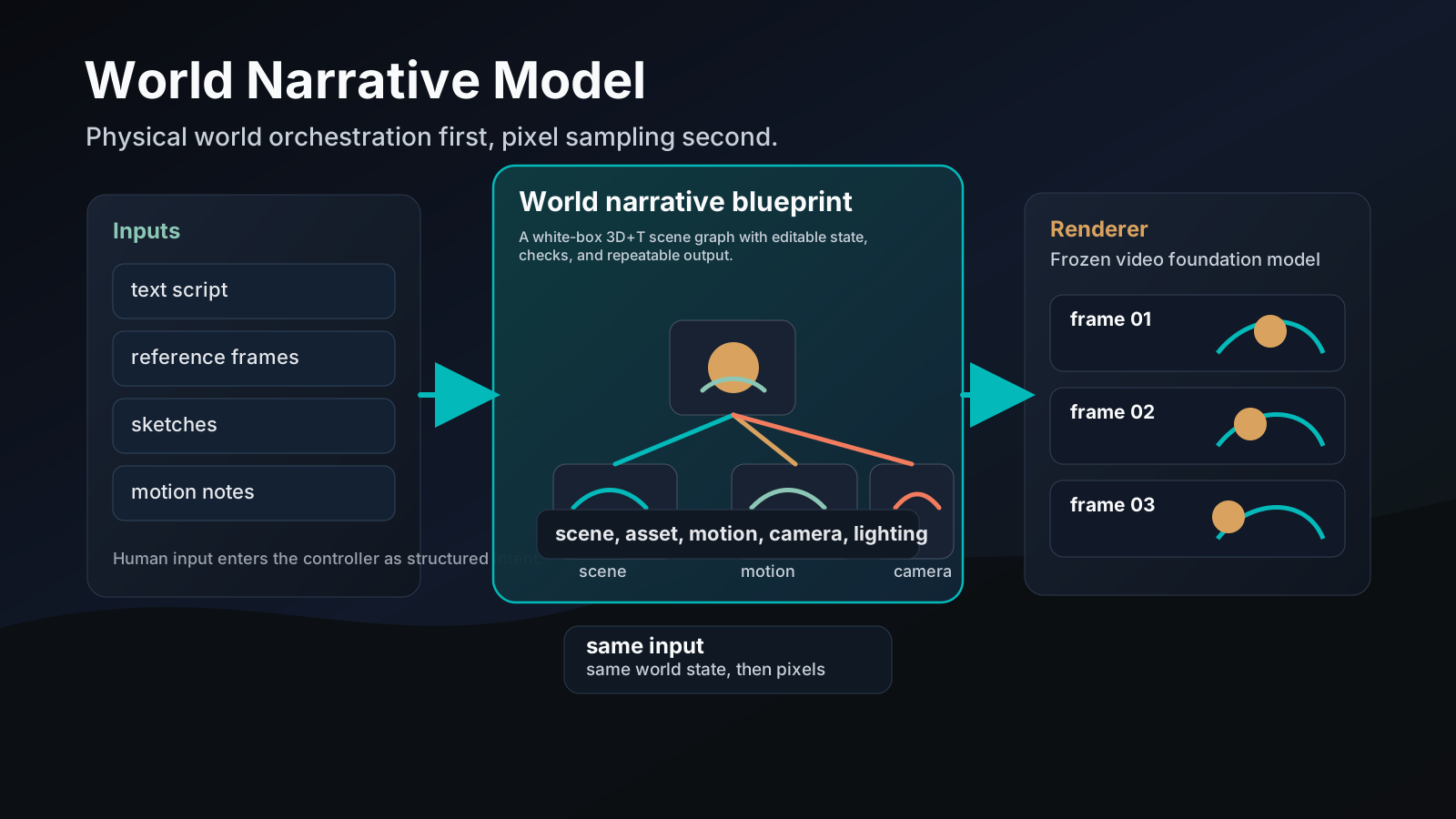
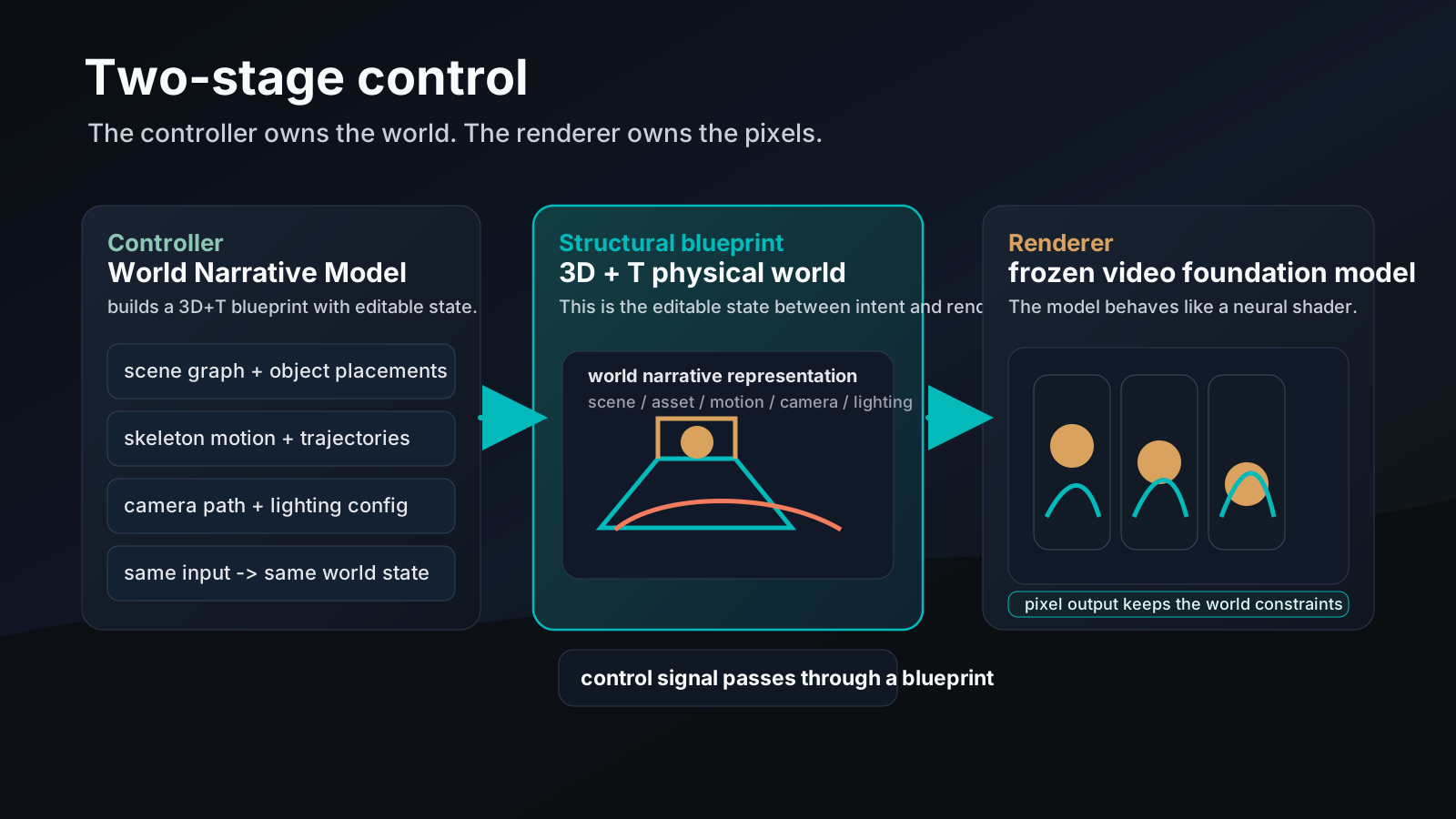
If you want the short version, World Narrative Model or WNM is a controller-renderer split for controllable video generation. The controller builds a 3D+T world blueprint. The renderer stays frozen and turns that blueprint into pixels. That is a cleaner way to think about video creation than "describe a scene and hope the sampler guesses right."
For storyboard tools, that matters. Directors do not just want moving pixels. They want scene layout, character motion, camera path, and lighting state they can inspect and edit before they spend a render budget. WNM is one of the clearest papers we have seen that pushes video generation toward that workflow.
One sentence first
WNM says video should start as an editable physical world, not as a black-box sample from pixels.
That sounds abstract until you look at the control problem the paper is trying to fix. Current video models can look good, but the moment you ask for exact camera motion, object placement, lighting, or repeatable state across time, the model starts guessing. The same prompt can give you different results. A reference image can lock in appearance but still leave motion and scene state loose. A motion brush can guide a path, but not the whole world.
WNM is a direct response to that mess.
Why the usual path breaks
The paper groups the control problem into a few familiar failure modes:
| Control mode | What it gives | What it misses |
|---|---|---|
| Text prompt | high-level intent | exact geometry, motion curves, lighting, camera parameters |
| Reference image or video | style or appearance | editable state over time |
| Motion trajectory | a path for joints or subjects | object identity, scene layout, lighting |
| Pixel-level conditions | local structure | higher-level physical semantics |
That list matches what we see in storyboard tools. A prompt can describe "slow dolly-in," but it cannot hold a room together while the camera moves. A reference frame can stabilize a face, but it will not tell the model which prop should be in the actor's hand on shot 5.
WNM's answer is to move the control boundary earlier in the pipeline.
The world is the product
The paper defines a World Narrative Representation: an explicit 3D+T physical world with editable entities. The important parts are not hard to name:
| World field | What it controls |
|---|---|
| Scene graph | layout, room geometry, spatial relationships |
| Asset geometry | object shape, size, placement, support |
| Motion trajectories | character pose changes and path over time |
| Camera path | framing, movement, focal behavior |
| Lighting | direction, intensity, color temperature, mood |
The point is not only that these are separate. The point is that they are separately editable. If the creator changes the light at frame 25, the world state updates. If the camera path changes, the rest of the scene should stay anchored.
{
  "scene_graph": "hilltop_pavilion",
  "assets": ["qin", "lantern", "stone_steps"],
  "motion": {
    "character": "robed_player",
    "trajectory": "walk_forward_then_turn"
  },
  "camera": {
    "type": "dolly_in",
    "focal_length_mm": 35
  },
  "lighting": {
    "style": "warm sunset",
    "temperature": "3200K"
  }
}
That is the part that feels useful for Storyboard. We already think in terms of shot intent, props, motion, and camera language. WNM turns those ideas into a machine-readable state, which is a much better place to begin than free-form prompt text.
The pipeline has four moving parts
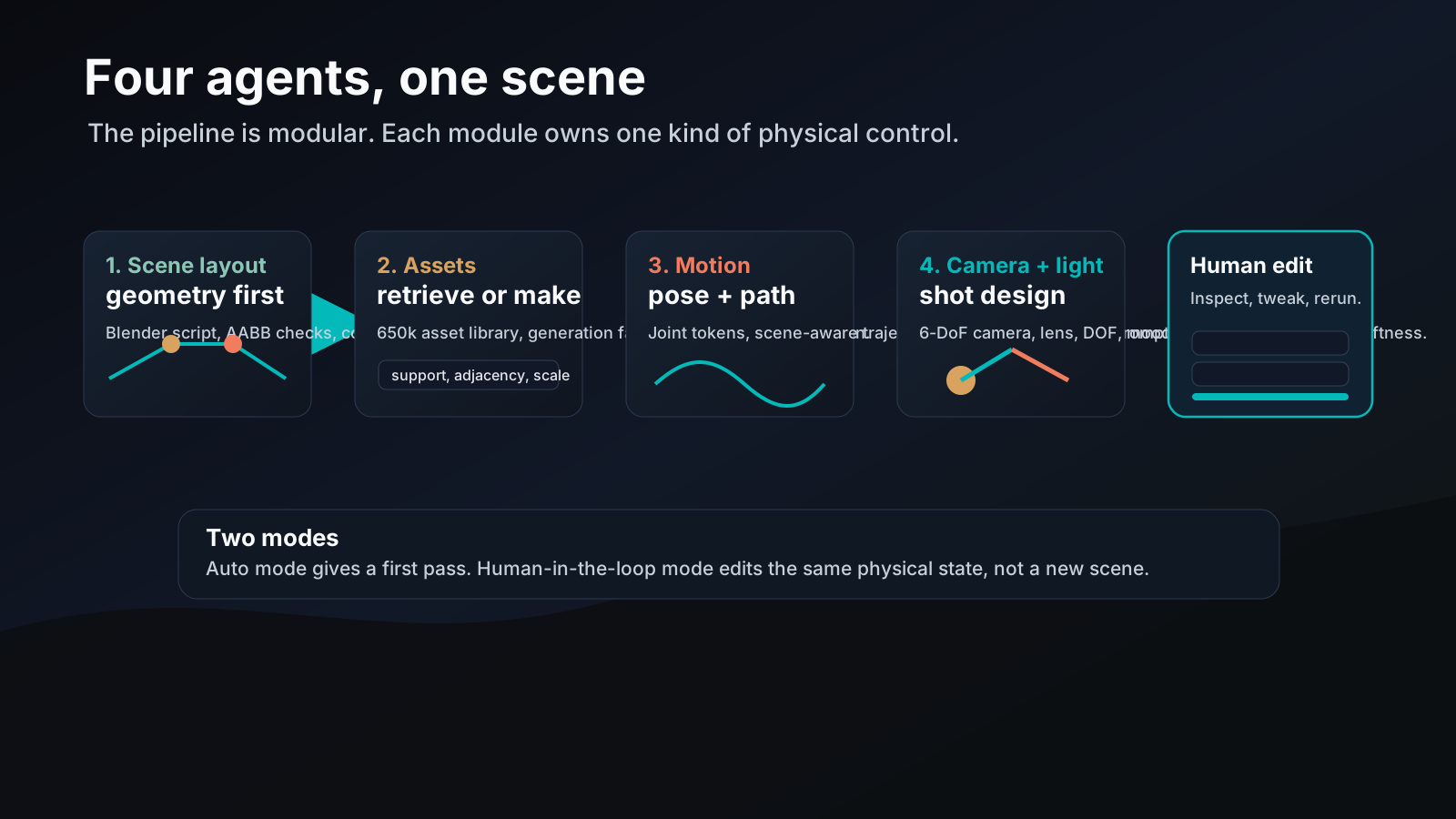
The paper does not present WNM as one giant model. It splits the work into four agents:
| Agent | Job | Output |
|---|---|---|
| Scene layout agent | build scene geometry and layout | Blender script, scene graph, validated room or outdoor set |
| Asset generation agent | retrieve or synthesize objects | physically placed 3D assets |
| Motion planning agent | plan character motion and trajectories | pose sequences and scene-aware paths |
| Camera and lighting agent | set lens, path, and mood | shot framing and light configuration |
Each module has its own checks. The scene agent runs syntax, AABB, collision, and export checks. The asset agent uses retrieval first and generation only when needed. The motion agent uses a closed loop that renders, evaluates, and rewrites the plan. The camera and lighting agent turns story language into shot mechanics.
That modular design is the paper's best idea in practice. It does not try to squeeze every kind of control through one prompt interface. It gives each control family its own lane.
1. Scene layout
The scene layout module parses the user's input into a structured recipe. For indoor scenes, that includes walls, doors, windows, furniture, and spatial constraints. For outdoor scenes, it includes boundaries, terrain, vegetation, and landmarks.
The generator produces a Blender script, not a mesh dump. That matters because a script is editable. The supervisor then checks the scene for syntax errors, boundary violations, collisions, missing materials, and export issues. When the paper uses reference images or video, it estimates camera and depth cues and compares them against the generated scene.
This is more than a neat trick. It says the scene is not a byproduct of rendering. It is a first-class object.
2. Asset generation and placement
For objects and props, WNM uses a retrieval-augmented path. It searches a large asset library first, then falls back to generation when needed. The paper says the library has about 650,000 normalized 3D objects.
When generation is needed, the model uses a 3D object diffusion system with an octree latent representation. The paper says this model has 3.25 billion parameters and runs about 40% faster than the Trellis 2.0 baseline at similar quality.
Placement is not just "drop the asset in the scene." The system checks support, adjacency, scale, orientation, and penetration before it accepts the result. If the object is sitting wrong, the agent rewrites the placement.
3. Motion planning
This module handles both skeleton motion and scene-aware trajectories. The paper supports humans and animals, which is a good sign. A system that only works on one body type is fine for a demo and weak for production.
The motion generator uses a factorized transformer. The trajectory planner then moves the actor through the scene while avoiding obstacles and keeping the path natural. The paper's loop is explicit: render, evaluate, reprompt, rewrite.
That is the right shape for controllable motion. Not "generate once and pray." Generate, inspect, fix, repeat.
4. Camera and lighting
This is the part storyboard people will care about most.
The camera agent turns story language into a 6-DoF camera path, lens settings, and depth-of-field behavior. It maps phrases like "slow dolly-in with slight tilt" into concrete control values. The lighting agent does the same for lighting mood, key/fill/back balance, shadow softness, and color temperature.
This is what makes the model feel like a previsualization system instead of a video toy. The camera is not an afterthought. The shot is part of the state.
The interface is not optional
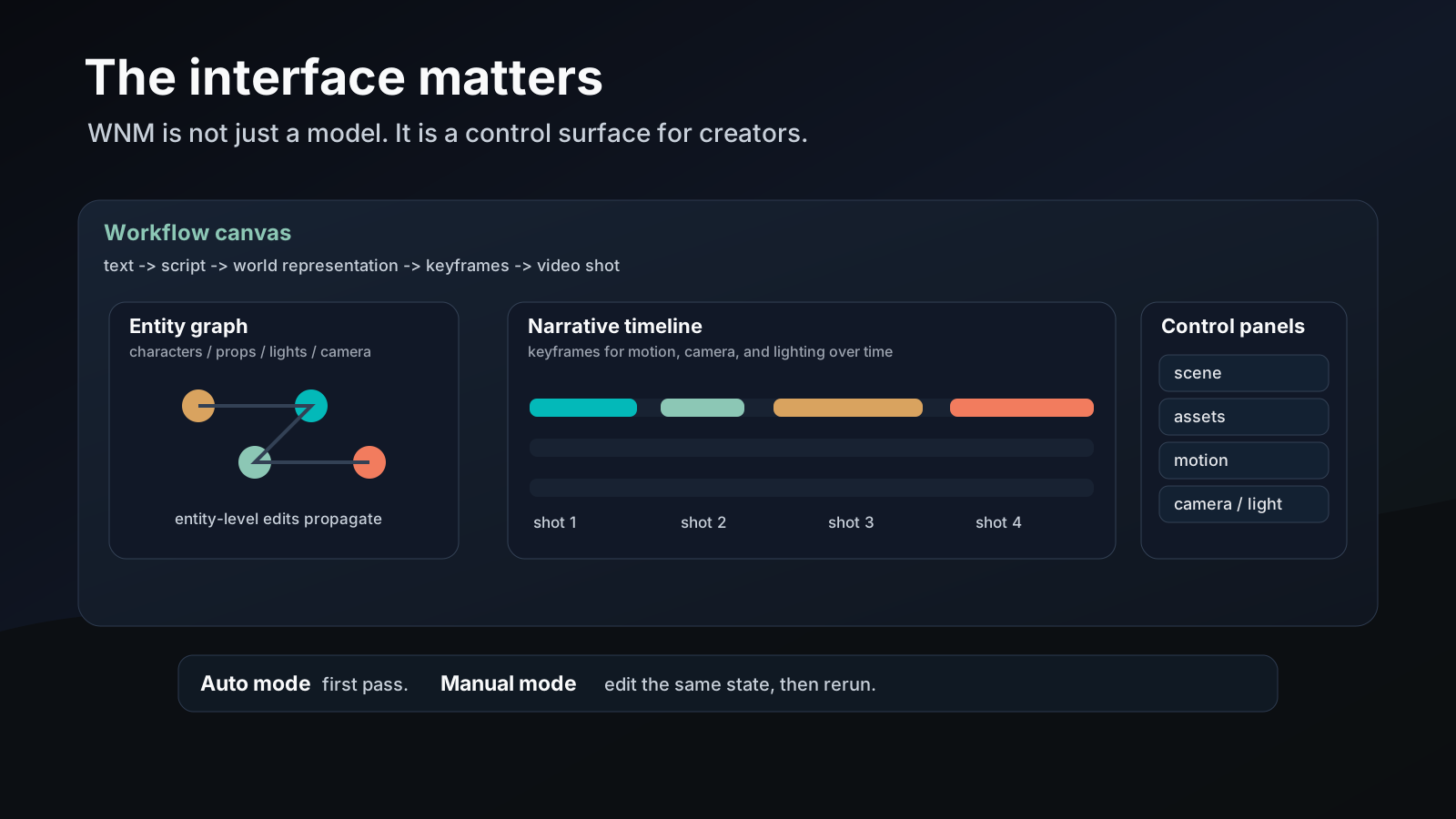
WNM is not only a model paper. It is also an interface paper.
The platform in the paper has three synchronized views:
| View | What it shows |
|---|---|
| Workflow canvas | the path from script to world to keyframes to video |
| Entity graph | characters, props, lights, and cameras as editable nodes |
| Narrative timeline | keyframes and state changes over time |
And it exposes four control panels for the director's job:
| Panel | What you edit |
|---|---|
| Scene and asset panel | geometry, object placement, scale, support |
| Motion panel | joints, trajectories, action timing |
| Camera panel | framing, path, focal behavior |
| Lighting panel | mood, intensity, color, shadow behavior |
That is very close to how a storyboard tool should feel. You do not want one giant prompt box where every correction becomes another round of guesswork. You want a structured state you can inspect, change, and rerun.
If you have read our CANVAS breakdown, the relationship is clear: CANVAS tries to keep continuity across storyboard panels, while WNM defines the world state before the pixels exist. Our Story2Board consistency article sits in the same family, but at the panel consistency layer. WNM is one layer earlier.
The numbers are about control, not just quality
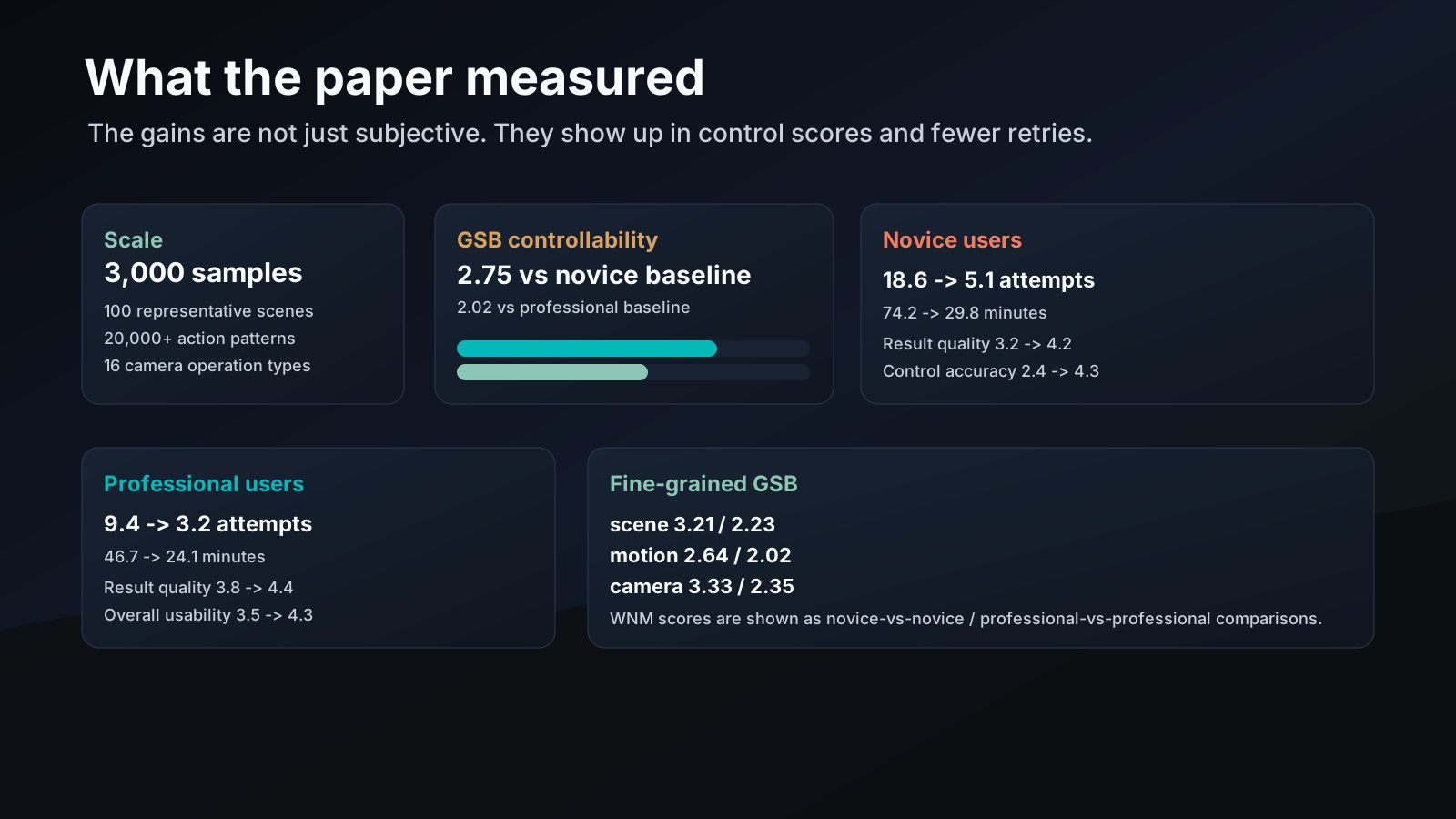
The paper evaluates WNM against text-only, omni-reference, and other controllable video baselines. The top-line message is simple: the white-box world representation gives more control than sparse prompts and references.
| Comparison | Overall GSB |
|---|---|
| WNM vs novice baseline | 2.75 |
| WNM vs professional baseline | 2.02 |
| WNM vs novice-vs-professional cross setting | 1.72 |
The paper also breaks this down by control dimension:
| Dimension | WNM vs novice baseline | WNM vs professional baseline |
|---|---|---|
| Scene control | 3.21 | 2.23 |
| Temporal consistency | 2.59 | 1.93 |
| Motion control | 2.64 | 2.02 |
| Trajectory control | 2.97 | 2.12 |
| Camera path precision | 3.33 | 2.35 |
Those are not tiny gaps. They say that the biggest win is not raw frame realism. It is control over the parts creators actually fight with: layout, timing, and camera movement.
The user study tells the same story:
| Group | Without WNM | With WNM |
|---|---|---|
| Novice attempts per shot | 18.6 | 5.1 |
| Novice creation time | 74.2 min | 29.8 min |
| Novice result quality | 3.2 | 4.2 |
| Novice control accuracy | 2.4 | 4.3 |
| Professional attempts per shot | 9.4 | 3.2 |
| Professional creation time | 46.7 min | 24.1 min |
| Professional result quality | 3.8 | 4.4 |
| Professional control accuracy | 3.4 | 4.6 |
That is the part worth underlining. WNM reduces the retry loop. Novices cut attempts from 18.6 to 5.1. Professionals cut from 9.4 to 3.2. The model is not just making better clips. It is making the process less annoying.
What we would borrow for Storyboard
WNM is not something I would ship as a single "generate everything" button. It is too early for that. The useful part is the design direction.
What we would borrow is the separation of concerns:
- Make scene, asset, motion, camera, and lighting separate fields in the shot schema.
- Keep a white-box world state that can be inspected and edited.
- Treat the renderer as a renderer, not as the place where story logic lives.
- Give creators a timeline and a graph, not only a prompt box.
- Validate the world before rendering it.
The storyboard lesson is direct. Shot planning gets much better when the system can say, "here is the scene, here is the motion, here is the camera, here is the light," instead of hiding all of that inside a single sampled latent.
That is also why this paper feels closer to production than many video generation papers. It respects the workflow. It does not ask artists to work around the model. It asks the model to fit the way the work already happens.
Where it stops
The paper is clear about its limits.
It still needs better precision for pro production. Scene layout, motion planning, and camera control are good enough to be interesting, but not enough to close the door on trial-and-error.
It also splits motion and object placement too cleanly. Human-object interaction is still hard. A hand picking up a cup, or a body pushing a chair, needs tighter coupling than the current system gives it.
The paper's own future work points to the same issues:
| Weak spot | Why it matters |
|---|---|
| Spatial computation | LLM-only reasoning is too coarse for geometry |
| More training data | current data does not cover enough film cases |
| Adapter training | tighter links to foundation models are still future work |
| Metric standardization | controllability still needs a shared yardstick |
That is fine. The paper does not need to solve every problem to be useful. It is already useful as a design argument.
The product lesson
The product lesson is not "replace the sampler with a world model."
The product lesson is:
build a world state first, keep it editable, and let the renderer stay dumb.
That is the right direction for storyboard tools, previsualization tools, and any workflow where camera motion, object state, and lighting matter as much as the final pixel.
If you care about continuity across panels, read our CANVAS article. If you care about character identity across panels, read Story2Board. If you care about the shot itself, the camera movement guide and camera rigs guide are the closer match. WNM sits one level earlier than all of them.
It turns the creative problem into a world editing problem. That is the part worth paying attention to.
References
Chen, Y., Chen, X., Zhu, Y., Tan, L., Wan, Z., Xiong, Y., Wang, T., Liu, J., Zhang, W., Zhang, X., Li, F., Luo, X., Zhao, Z., Zhang, Z., Kou, L., Liang, Z., Chen, Y., Chen, M., Miao, X., Zhang, Y., Sheng, X., Hu, Q., Chen, J., Zhang, W., Zhang, W., & Ni, B. (2026). World Narrative Model for Highly Controllable Video Generation: A Paradigm Shift from Pixel Sampling to Physical World Orchestration. arXiv preprint arXiv:2606.31946. https://arxiv.org/abs/2606.31946