What This Template Includes
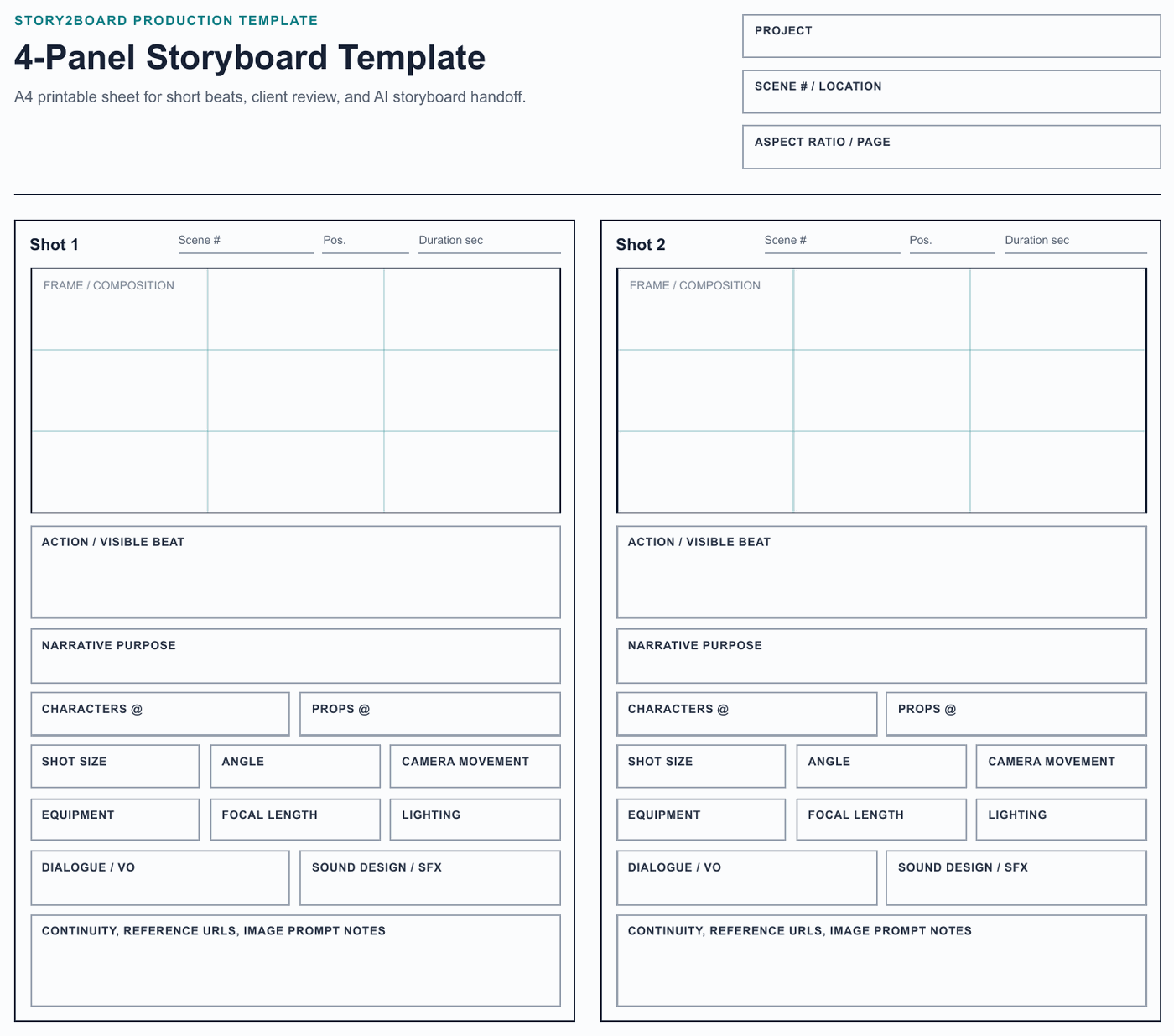
This free 4-panel storyboard template provides a clean, printable layout for planning short scenes, individual sequences, or quick story beats. Each panel includes space for:
- Frame area — a 16:9 aspect ratio drawing/image space for your shot composition
- Shot description — 2 to 3 lines below each panel for describing the action, camera angle, and movement
- Dialogue/audio — a dedicated field for dialogue lines, voiceover, or sound cues
- Shot type label — a small field to note CU, MS, WS, OTS, etc.
- Panel number — sequential numbering for each frame
The template is formatted for A4 paper (210 x 297mm) in portrait orientation, with all four panels arranged in a 2x2 grid with comfortable margins for writing notes.
Best Uses for a 4-Panel Template
Quick scene sketches. When you need to storyboard a single beat — a character entering a room, a brief exchange, a transition between locations — four panels is often the right density. You get the establishing shot, two mid-scene shots, and the exit.
Commercial storyboards. A 15-second commercial typically needs 5 to 8 panels. Print two pages and you have a complete commercial storyboard. The structured layout is clean enough for client presentations.
Daily shot planning. Some directors storyboard only the most complex shots of each shooting day. Four panels per page lets you sketch the tricky setups without storyboarding the entire scene.
Student and classroom use. For film courses and workshops, the 4-panel template provides enough structure to teach storyboard fundamentals without overwhelming students with too many panels.
Pre-visualization brainstorming. When you are still exploring visual approaches, four panels is enough to test a concept without committing to a full storyboard. Sketch three different approaches on three pages and compare.
How to Use This Template
Print Version
- Download the PDF from the link above.
- Print on A4 paper. The template is designed for both color and black-and-white printers.
- Sketch your compositions directly in the panel frames. Use pencil first — storyboards are meant to be revised.
- Fill in the shot description, dialogue, and shot type fields below each panel.
- Number your pages if using multiple sheets for a longer sequence.
Digital Version
- Open the PDF in a tablet drawing app (Procreate, GoodNotes, Notability, or any PDF annotation tool).
- Draw directly on the panel areas using a stylus.
- Type or handwrite annotations in the description fields.
- Export the completed storyboard as a PDF to share with your team.
Tips for Filling Out Storyboard Panels
Keep it simple. Storyboard panels are not finished illustrations. Use simple shapes, stick figures if needed, and focus on composition — where things are in the frame and how the camera is positioned.
Show, do not detail. Indicate character positions, eyelines, and major props. Do not worry about shading, texture, or fine detail. If the composition reads clearly at a glance, the panel is doing its job.
Use arrows for movement. Draw an arrow to show the direction a character moves. Draw a different style of arrow (dashed, curved) to show camera movement. Label the movement type (pan, dolly, tilt).
Fill in the shot type. Even if your drawing is rough, labeling each panel with the shot type (WS, MS, CU, OTS) ensures that the intended framing is clear to anyone reading the storyboard.
Write the key dialogue line. You do not need to include every word. Write the most important line spoken during that shot. This connects the visual to the script.
Note the transition. Between panels, indicate how the shots connect: "CUT TO," "DISSOLVE," "MATCH CUT," or "CONT." (continuous, no cut).
When to Use More Panels
A 4-panel template works for short beats, but longer scenes need more panels. As a general guide:
| Scene Type | Recommended Panels | Template Pages |
|---|---|---|
| Quick transition / insert | 1-2 panels | 1 page |
| Short dialogue exchange | 3-6 panels | 1-2 pages |
| Standard scene | 8-15 panels | 2-4 pages |
| Complex action sequence | 15-30+ panels | 4-8+ pages |
| Full short film (5 min) | 30-60 panels | 8-15 pages |
For longer sequences, print multiple copies of this template and number the pages sequentially.
Beyond Templates: AI-Generated Storyboards
Templates give you structure. AI gives you speed. If you find yourself spending more time drawing panels than thinking about shot design, consider using AI storyboard tools to generate frames from text descriptions.
Genkee's Storyboard Agent generates storyboard panels directly from scene descriptions — no drawing required. Describe your shot, and the agent produces a visual frame with the correct composition, camera angle, and style. You can generate a complete storyboard faster than filling out templates by hand, and the output is polished enough for client presentations and team communication. Try it with your next scene.
