A dialogue storyboard template needs more than boxes for drawings and lines of text. It needs fields for viewpoint, character orientation, eyeline, camera pattern, location continuity, and the reason each shot exists.
That is the practical lesson from Dialogue Director (Zhang et al., 2024), a paper that proposes Dialogue Visualization: turning dialogue-centric scripts into multi-view storyboards. The paper is not a template guide, but it is useful for template design because it shows what an AI system must recover when a script mostly contains speech.
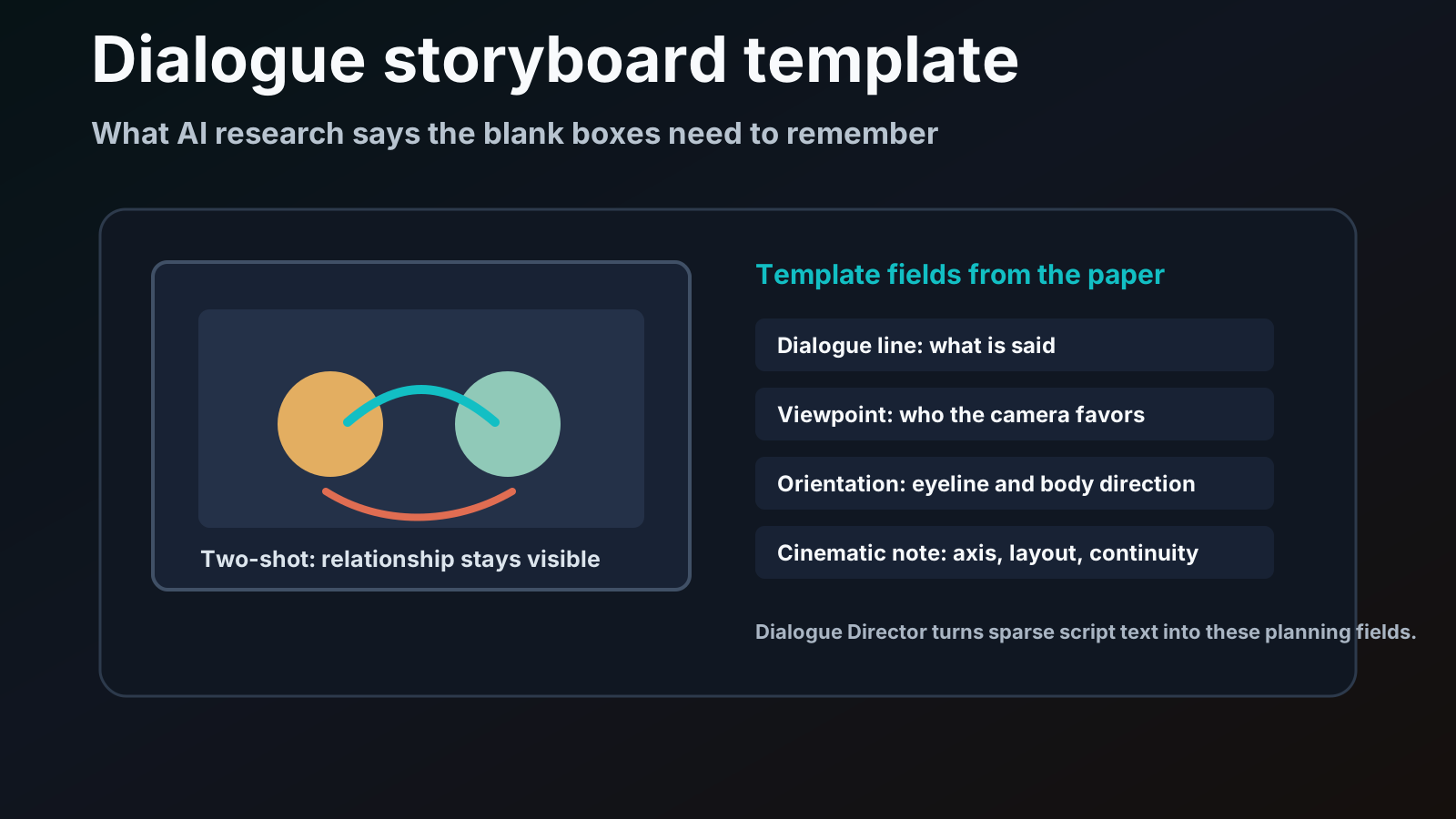
Most storyboard templates treat dialogue as a row under the image. That is only half right. In a real dialogue scene, the line and the camera are coupled. A sentence can be played as a two-shot, an over-the-shoulder shot, a clean single, a reaction insert, or a POV. Each choice changes what the viewer understands.
The paper in one sentence
Dialogue Director is a training-free multi-agent framework that turns sparse dialogue scripts into coherent storyboards by separating script understanding, multi-view character generation, and cinematic layout planning.
The authors split the system into three roles:
- Script Director extracts characters, locations, and dialogue from the script.
- Cinematographer generates multi-view character and scene references.
- Storyboard Maker chooses viewpoints, layout boundaries, and cinematic composition for each dialogue segment.
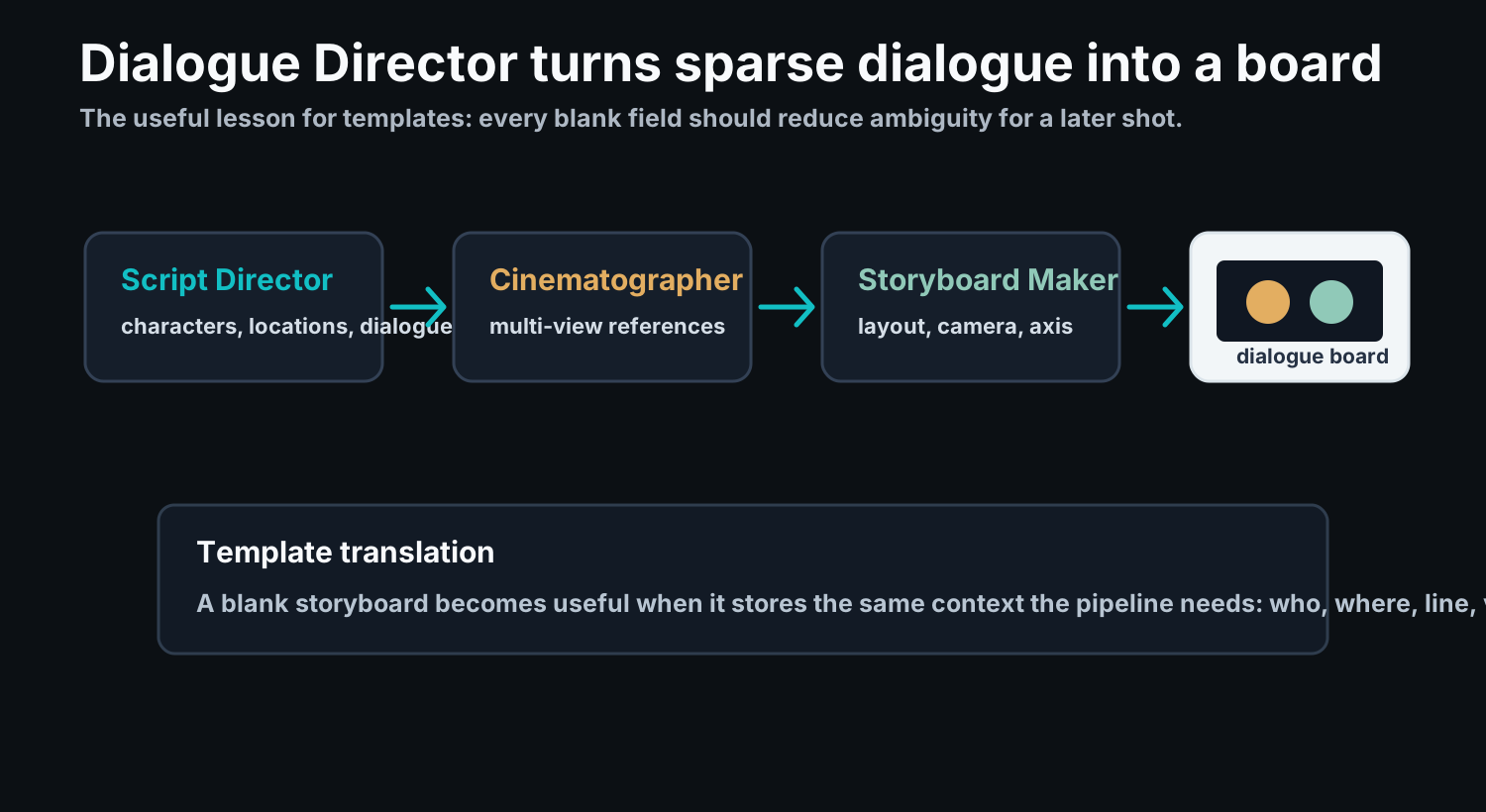
For Story2Board, the point is not to copy the architecture exactly. The point is simpler: if an AI pipeline needs these fields to make a dialogue board, a human-facing storyboard template should preserve the same information.
Why dialogue breaks simple storyboard templates
Dialogue looks easy on paper because the script has clear lines. It is hard visually because the script often leaves out physical context.
Consider a line like:
CELINE: Did you show up in Vienna that December?
A blank template gives you a box and a dialogue row. But the scene still needs answers:
| Missing decision | Why it matters |
|---|---|
| Who is favored by the camera? | The same line can accuse, test, flirt, or retreat |
| Where are the characters facing? | Eyeline controls whether the exchange feels connected |
| Are both characters visible? | A two-shot preserves relationship pressure |
| Is this a reaction shot? | The listener may be more important than the speaker |
| What location details repeat? | Returning to the same street or room must stay readable |
| Does the shot cross the axis? | Bad orientation can make a conversation feel spatially wrong |
The paper names similar problems: sparse descriptive details, physical world understanding, multi-view character coherence, and cinematic knowledge. A template cannot solve those problems automatically, but it can force the planner to write down the right details.
A stronger template is a small schema
The best dialogue storyboard template is not a prettier grid. It is a compact schema for the scene.
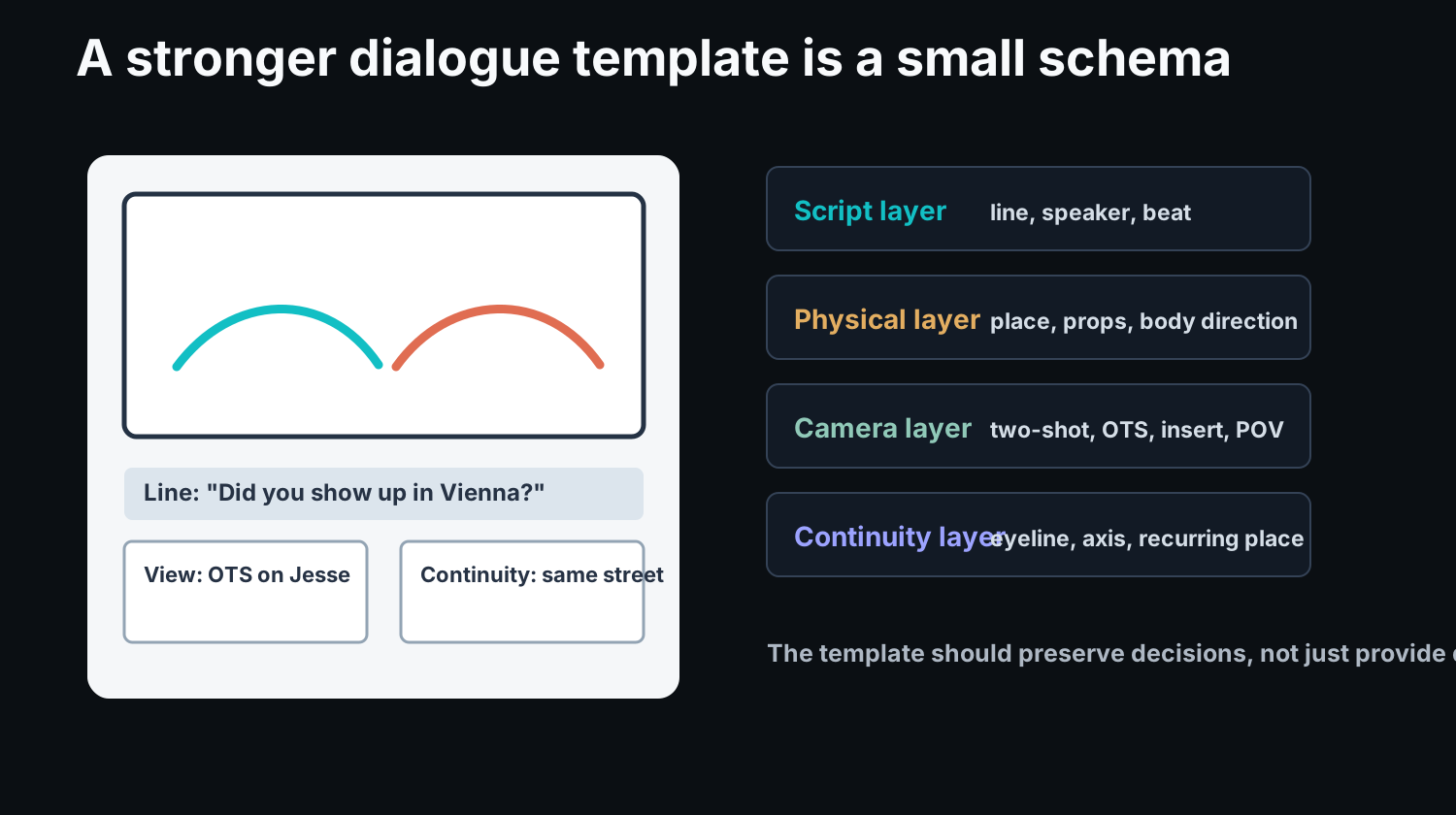
Use four layers:
| Layer | Template fields | Example |
|---|---|---|
| Script layer | speaker, line, beat, subtext | Celine asks about Vienna; the beat is a test |
| Physical layer | location, props, body direction, distance | street, walking side by side, Jesse turns toward her |
| Camera layer | shot size, angle, viewpoint, movement | over-the-shoulder on Jesse, slow walking camera |
| Continuity layer | eyeline, axis, recurring detail, next-panel carryover | keep screen direction left-to-right |
This structure is useful even before AI enters the workflow. It makes the storyboard reviewable. A director can challenge the camera choice. A cinematographer can see the blocking. An editor can understand why the reaction shot exists.
The three-agent lesson for template design
Dialogue Director's three parts map cleanly onto a storyboard template.
1. Script Director maps to script fields
The paper's Script Director extracts characters, spots, and dialogue. A template should do the same in human-readable form.
Minimum fields:
- scene number;
- location;
- speaker;
- dialogue line;
- story beat;
- emotional turn.
Do not only paste the line. Write what the line does. "Sure, what?" might be a casual response, a defensive dodge, or an invitation. The shot depends on that reading.
2. Cinematographer maps to reference and orientation fields
The paper's Cinematographer creates multi-view character references because dialogue scenes need side views, three-quarter views, and over-the-shoulder compositions. That matters for templates too.
Minimum fields:
- character facing direction;
- eyeline target;
- screen direction;
- foreground/background role;
- reference frame or previous panel.
This is where many static templates fail. They ask for dialogue and notes, but not orientation. In a two-person scene, orientation is not a detail. It is the geometry of the exchange.
3. Storyboard Maker maps to camera and layout fields
The paper's Storyboard Maker selects viewpoints and lays out the final board with cinematic knowledge. A template should make that choice explicit.
Minimum fields:
- shot pattern;
- shot size;
- camera angle;
- camera movement;
- composition priority;
- continuity warning.
The "shot pattern" field is especially useful for dialogue. It keeps the planner from writing generic camera notes.
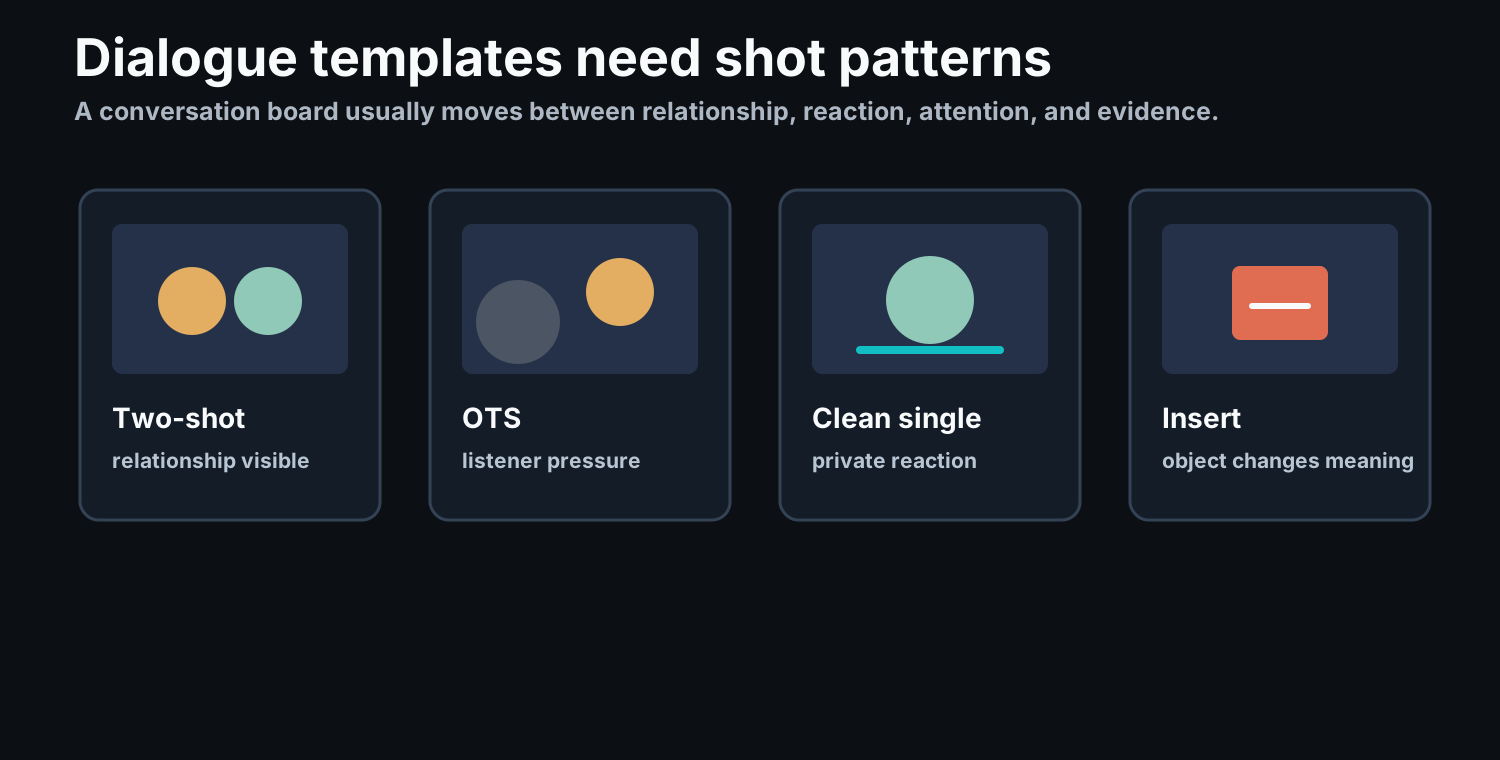
Four dialogue shot patterns worth putting in the template
Use these as selectable labels or short notes.
| Pattern | Use it when | Template note |
|---|---|---|
| Two-shot | The relationship matters more than either face alone | Keep both characters visible; show distance or closeness |
| Over-the-shoulder | Speaker and listener must both stay active | Foreground body should pressure the frame |
| Clean single | The scene needs a private reaction | Remove competing information |
| Insert | An object changes the meaning of the line | The object must affect the next inference |
This is not about forcing every conversation into four choices. It is about making the default choices visible enough to revise.
What the results say, without overclaiming
The paper reports that Dialogue Director performs well against several story and identity-preserving generation baselines. In Table I, it reports the lowest NIQE score among listed methods and a competitive CLIP-T score. In the human evaluation, 30 film-major students rated outputs across complex relationship, physical understanding, and cinema knowledge; Dialogue Director scored highest in the reported averages.
Those results support a modest claim: structured script understanding plus multi-view references plus cinematic layout planning helps dialogue storyboard generation.
They do not prove that every dialogue board should be fully automated. The paper itself lists limits. Performance depends on the quality of multi-view character modeling, and dynamic shots or complex character poses remain difficult.
For Story2Board, that limitation is important. A good product workflow should keep the creator in the loop. The template should make AI suggestions editable, not pretend the first generated board is final.
A practical dialogue storyboard template
Use this field set for each dialogue panel:
| Field | Prompt |
|---|---|
| Panel number | Where does this shot sit in the exchange? |
| Speaker / listener | Who talks, and who matters visually? |
| Dialogue line | What exact line or sound cue belongs here? |
| Beat | What changes emotionally or narratively? |
| Shot pattern | Two-shot, OTS, clean single, insert, POV, reverse |
| Shot size | Wide, medium, close-up, insert |
| Viewpoint | Whose position or attention shapes the frame? |
| Orientation | Who faces whom? What is the eyeline? |
| Continuity | What must carry into the next panel? |
| Notes | What should the next collaborator not miss? |
Here is a filled example:
| Field | Example |
|---|---|
| Panel number | 06 |
| Speaker / listener | Celine speaks; Jesse's reaction matters |
| Dialogue line | "Did you show up in Vienna that December?" |
| Beat | She tests whether he kept an old promise |
| Shot pattern | Over-the-shoulder |
| Shot size | Medium close-up |
| Viewpoint | Behind Celine, favoring Jesse |
| Orientation | Jesse turns toward her; keep walking direction left-to-right |
| Continuity | Same street, same coat, late afternoon light |
| Notes | Do not isolate Jesse completely; Celine's shoulder should keep pressure in frame |
That is a much stronger template entry than a blank image plus a dialogue line.
If you want that field set on paper before you sit down with the scene, the dialogue layout ships with speaker/listener, eyeline, and axis fields already printed on the sheet. It is one of four options in the storyboard template downloads.
How this connects to Story2Board
Story2Board starts from the same practical problem: a creator has a script or idea, but the storyboard must become a sequence of camera decisions.
A template can help with the first pass. Story2Board helps when the board needs to become editable:
- the script can be broken into shots;
- character and style references can be reused;
- camera notes can be revised per panel;
- dialogue-heavy scenes can keep eyeline and shot pattern visible;
- the final board can be exported for review.
The research lesson is clear enough: dialogue storyboarding is not only image generation. It is script interpretation, physical staging, and camera layout. A good template should make those three jobs visible.
Related reading
Start with the free storyboard template download if you need a printable PDF. Then read camera framing for storyboards and shot lists and storyboards to connect the template to production planning.
If you are interested in AI storyboard consistency, the next technical layer is CANVAS and visual continuity, followed by Story2Board's training-free consistency approach.
References
Zhang, M., Wang, Z., Chen, L., Liu, K., & Lin, J. (2024). Dialogue Director: Bridging the Gap in Dialogue Visualization for Multimodal Storytelling. arXiv preprint arXiv:2412.20725. https://arxiv.org/abs/2412.20725