Video models are getting good at making a shot. They are still awkward at making an edit.
That distinction matters for storyboard work. A storyboard is rarely a single uninterrupted image prompt. It is a sequence of camera decisions: close-up, reaction, insert, reverse angle, reveal, hard cut. If a video model can only hear "make this scene cinematic," it may produce pretty motion but miss the actual rhythm of the scene.
That is why ShotPlan (Guo et al., 2026) is worth reading. The paper introduces a small control mechanism for cinematic multi-shot video generation: learnable planning tokens that tell a diffusion transformer where shot transitions should happen. The official implementation is also public on GitHub.
The idea is narrow and practical. A user provides a global scene description, per-shot captions, and exact frame indices for cuts. ShotPlan then conditions the video model so those cuts land near the requested frames while preserving continuity across shots.
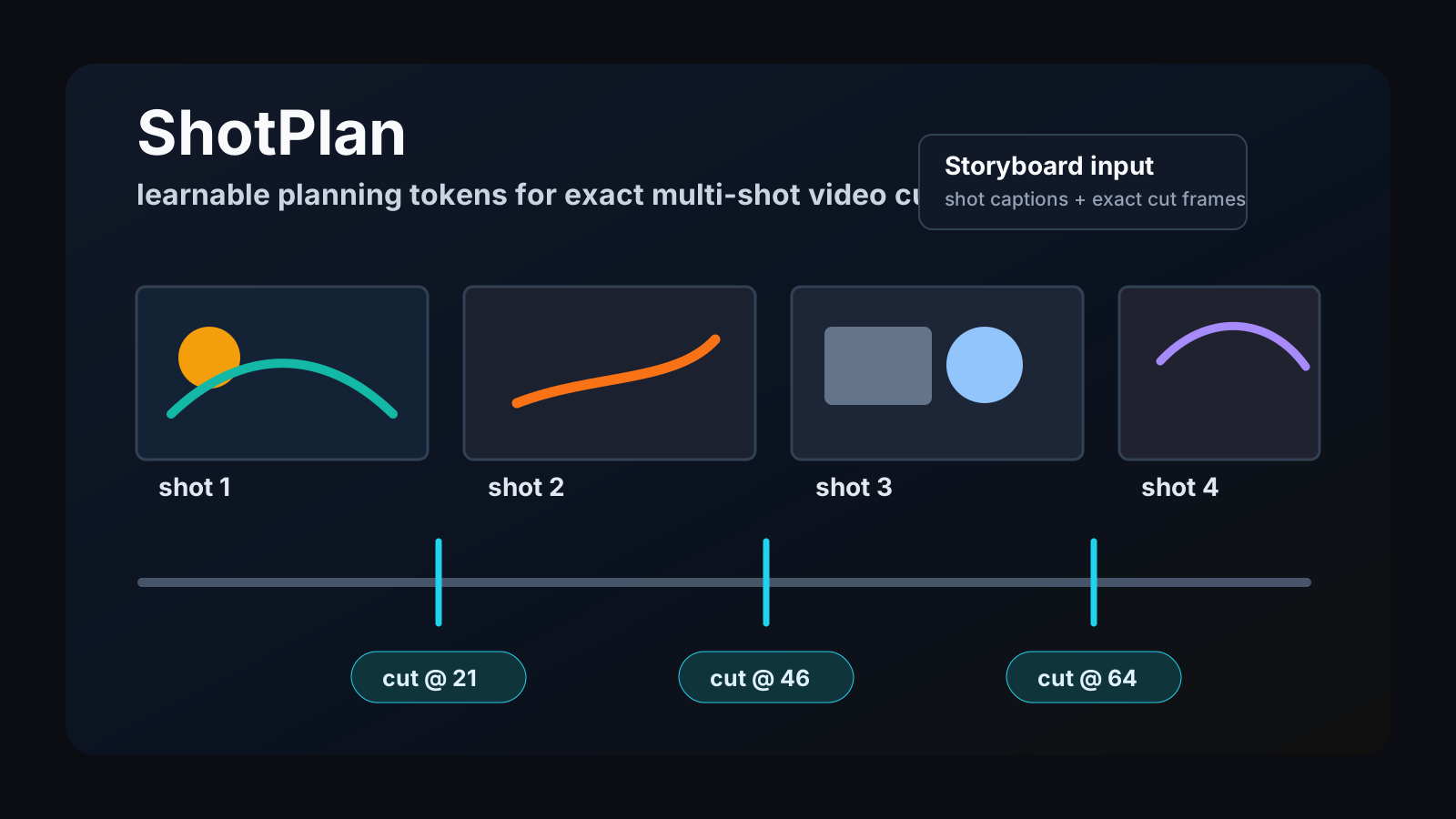
For Story2Board, this is the bridge we care about: a storyboard already knows where the shots are. The missing step is not more prompt adjectives. It is a clean way to turn shot boundaries into controllable preview video.
The paper in one sentence
ShotPlan adds learnable transition tokens to a Wan-style video diffusion transformer so a generated clip can follow user-specified hard-cut times without rewriting the model architecture.
The important part is not that the model has a new prompt format. The important part is that the transition becomes a token inside the denoising process. It is not a post-processing edit and it is not a loose natural-language request. The cut timing is represented as conditioning that the transformer can attend to while it forms the clip.
That is a good fit for a storyboard system. Storyboard panels are already structured. Each panel has a role in the sequence, a caption, a camera note, and an intended duration. ShotPlan shows one way to feed that structure into a video generator without pretending that a paragraph prompt is enough.
Why multi-shot control is harder than one-shot video
One-shot video generation can hide many sins. If the model creates a single continuous camera move, there is no explicit edit point where the audience can compare before and after state. A multi-shot video has stricter requirements.
| Multi-shot requirement | What can go wrong |
|---|---|
| Cut timing | the transition arrives too early, too late, or not at all |
| Shot identity | the subject changes face, clothing, pose, or scale |
| Scene continuity | the room, street, light, or prop layout drifts across cuts |
| Per-shot intent | the generated shot ignores its own caption |
| Sequence readability | the clip feels like unrelated samples stitched together |
ShotPlan attacks the first problem directly and measures the others. Its reported evaluation compares transition deviation, text alignment, cross-shot consistency, and narrative coherence across 100 multi-shot prompts.
For storyboard previews, timing is not a cosmetic detail. A reaction shot that lands half a beat late can change a scene. A reveal that cuts before the character looks up can kill suspense. In a drawn board, the editor can see those beats. A video preview model needs a comparable timing handle.
Planning tokens, not prompt magic
ShotPlan's core mechanism is simple enough to explain without hiding behind model jargon.
The system creates one learnable planning token for each requested transition. Those tokens are concatenated with the normal visual tokens inside the diffusion transformer. During denoising, the visual tokens and planning tokens attend to each other. After denoising, the planning tokens are discarded, so the decoded video shape stays unchanged.
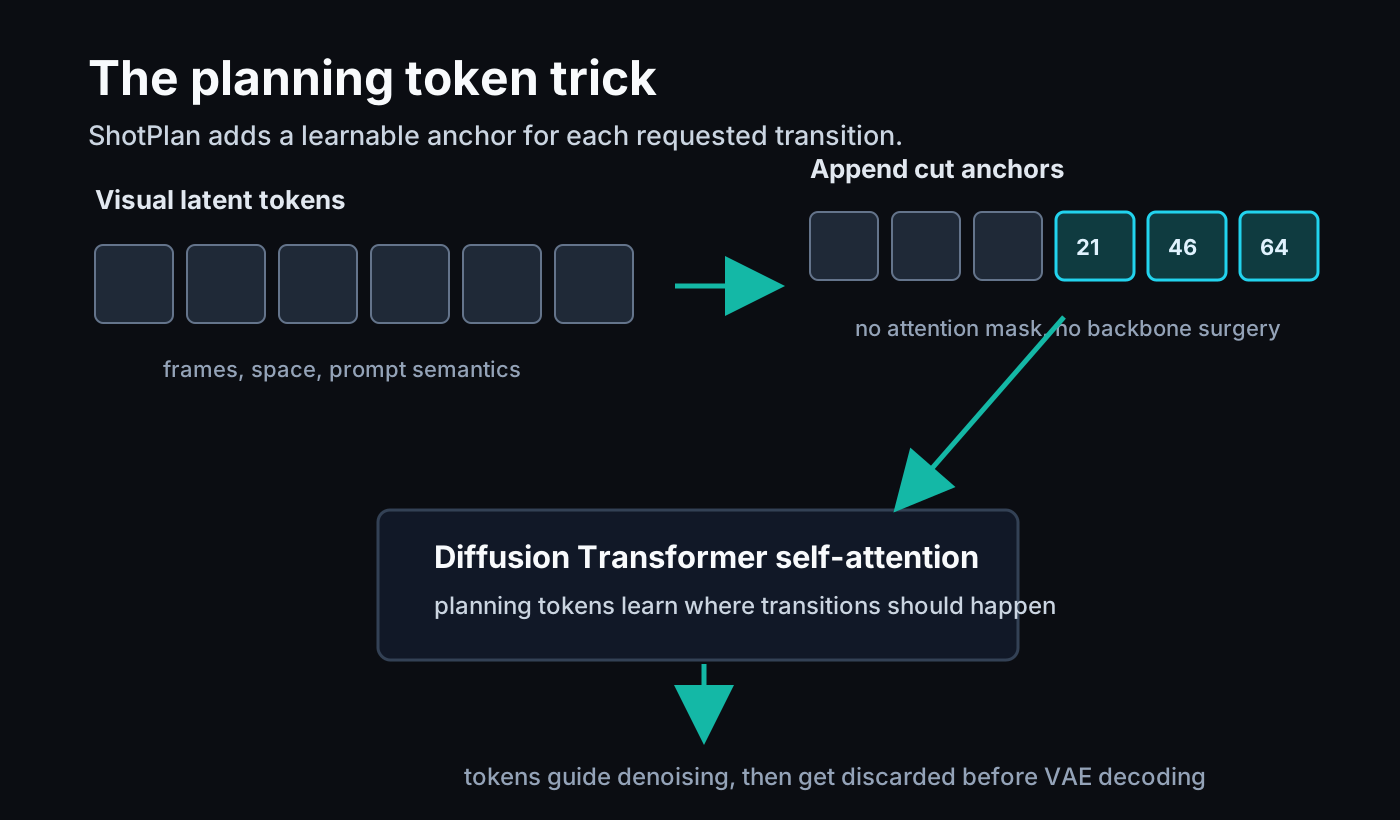
This is a useful engineering choice because it keeps the control interface local. The paper does not require attention masks, a separate transition network, or a full architecture rewrite. The token is a compact anchor. It says: there should be a cinematic transition around this time.
The official README describes the same behavior from the user side. You can pass a global prompt, shot-level captions, and a cut_at list such as 21,46,64 for an 81-frame clip. That is almost exactly the kind of structure a storyboard tool can export.
The Fractional Temporal RoPE detail
The clever detail is how ShotPlan places those planning tokens in time.
Wan's 3D VAE compresses time. In the paper's setup, multiple physical frames correspond to one latent temporal step. If you simply assign a cut token to the nearest latent index, you lose frame-level precision. That is bad when the user asked for a cut at frame 21 rather than "somewhere around the first third."
ShotPlan uses Fractional Temporal RoPE, or FRoPE. Instead of forcing a planning token onto an integer latent step, it maps the requested physical frame to a fractional latent-time coordinate. Visual tokens keep the pretrained RoPE positions. Planning tokens get fractional temporal positions, plus a fixed spatial coordinate.
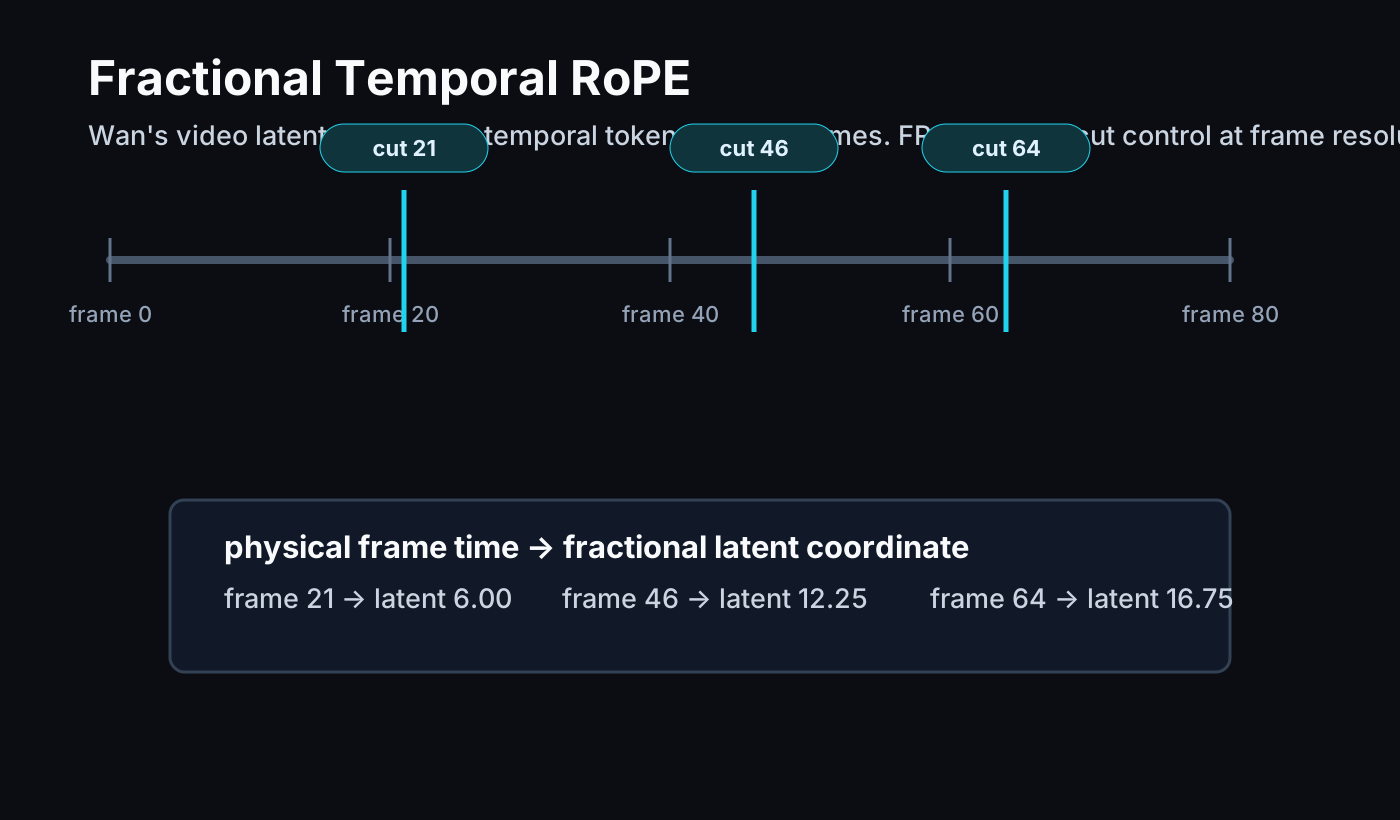
This is the kind of detail that makes the paper more than a prompt wrapper. It respects the model's latent representation while preserving the user's frame-level control signal.
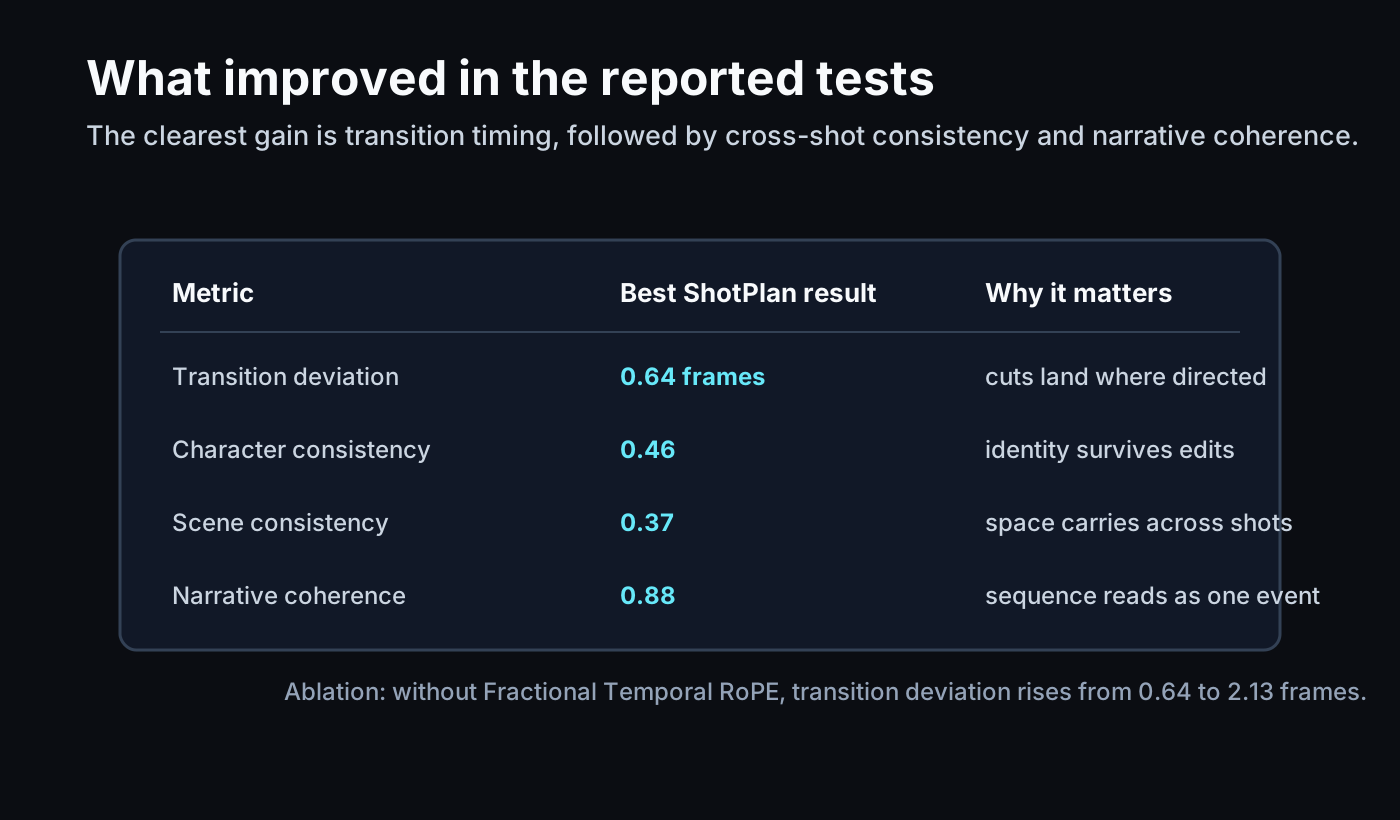
The ablation is also clear. In the paper's Table 2, removing Fractional Temporal RoPE increases transition deviation from 0.64 frames to 2.13 frames. That is a large difference for a feature whose whole job is to place cuts correctly.
The dataset is about edited video, not random clips
ShotPlan's data pipeline also matters. Multi-shot control cannot be learned well from arbitrary short videos if the model does not know where edits happen and what each shot is doing.
The paper curates training samples from edited video clips. It uses TransNet V2 to detect shot boundaries, filters sliding five-second windows, keeps clips with multiple shots, and uses Gemini 2.5 to filter for semantic continuity and create global plus per-shot captions. The GitHub README describes a public dataset of about 6.4K multi-shot samples curated from VidEvent; the paper also discusses thousands of hard-cut and soft-cut samples used for training.
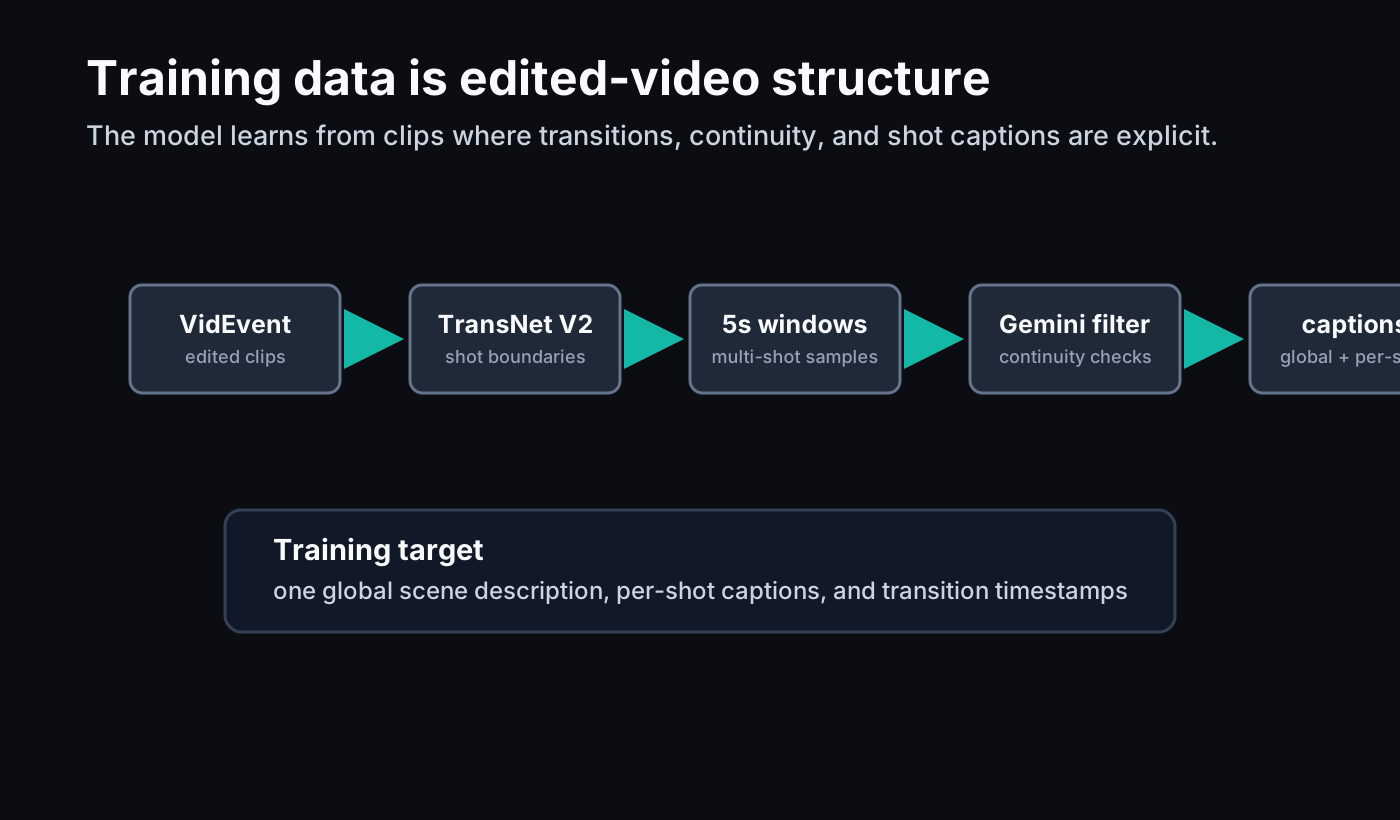
That training setup is aligned with the product problem. A storyboard preview model should learn from edited sequences, not only from continuous camera footage. The unit of meaning is the shot transition.
What the reported results say
ShotPlan reports the strongest transition timing among its tested baselines. In Table 1, the model reaches a transition deviation of 0.64 frames, compared with 1.12 for MultiShotMaster, 2.71 for HoloCine, 4.73 for CineTrans, and 6.95 for EchoShot.
It also reports the highest character consistency, scene consistency, and narrative coherence scores in that table. Text alignment is roughly comparable across methods, which is useful context: the main advantage is not that ShotPlan simply reads prompts better. The advantage is that it gives the model a better temporal control structure.
The ablation table is especially helpful for product thinking.
| Variant | Transition deviation | Interpretation |
|---|---|---|
| Static semantic tokens | 0.82 | useful, but weaker than learned planning tokens |
| Latent addition | 1.76 | direct feature injection is less precise |
| Global AdaLN | 5.64 | broad modulation does not localize a cut |
| Local AdaLN | 4.39 | local modulation still misses timing |
| Without FRoPE | 2.13 | integer latent timing is too coarse |
| Full ShotPlan | 0.64 | learned token plus fractional timing works best |
For Story2Board, the takeaway is straightforward: the control should live where the model reasons about time. If we only attach shot labels outside the denoising process, we should expect weaker timing.
Camera movement is the second hint
The paper also extends the same token idea beyond hard cuts. A control token can be anchored at a start time to trigger a temporally localized camera movement such as pan, zoom, or circular motion. The user-study section reports competitive motion-type accuracy and the highest timing accuracy among the compared systems.
We should be careful with the scope. This is not a full editor for all camera grammar. It is a sign that the token interface can express more than a cut. A token can mark a temporal event inside the clip: begin the zoom here, start the pan here, make the camera orbit here.
That makes ShotPlan a natural neighbor to our camera movement guide, dolly zoom guide, and the CineMobile reading note. CineMobile asks how cheaply a model can preview a camera effect. ShotPlan asks how precisely a model can place an edit or motion event in time. Those are different problems, but both point toward a storyboard-native preview loop.
What this means for Story2Board
Story2Board should not treat video preview as "turn the whole scene into a video." That is too vague. A better interface is:
- Turn the script into a shot list.
- Give each shot a concise visual caption.
- Preserve exact cut frames or durations.
- Ask a preview model to generate a short multi-shot clip.
- Let the creator inspect timing, continuity, and camera rhythm before any final render.
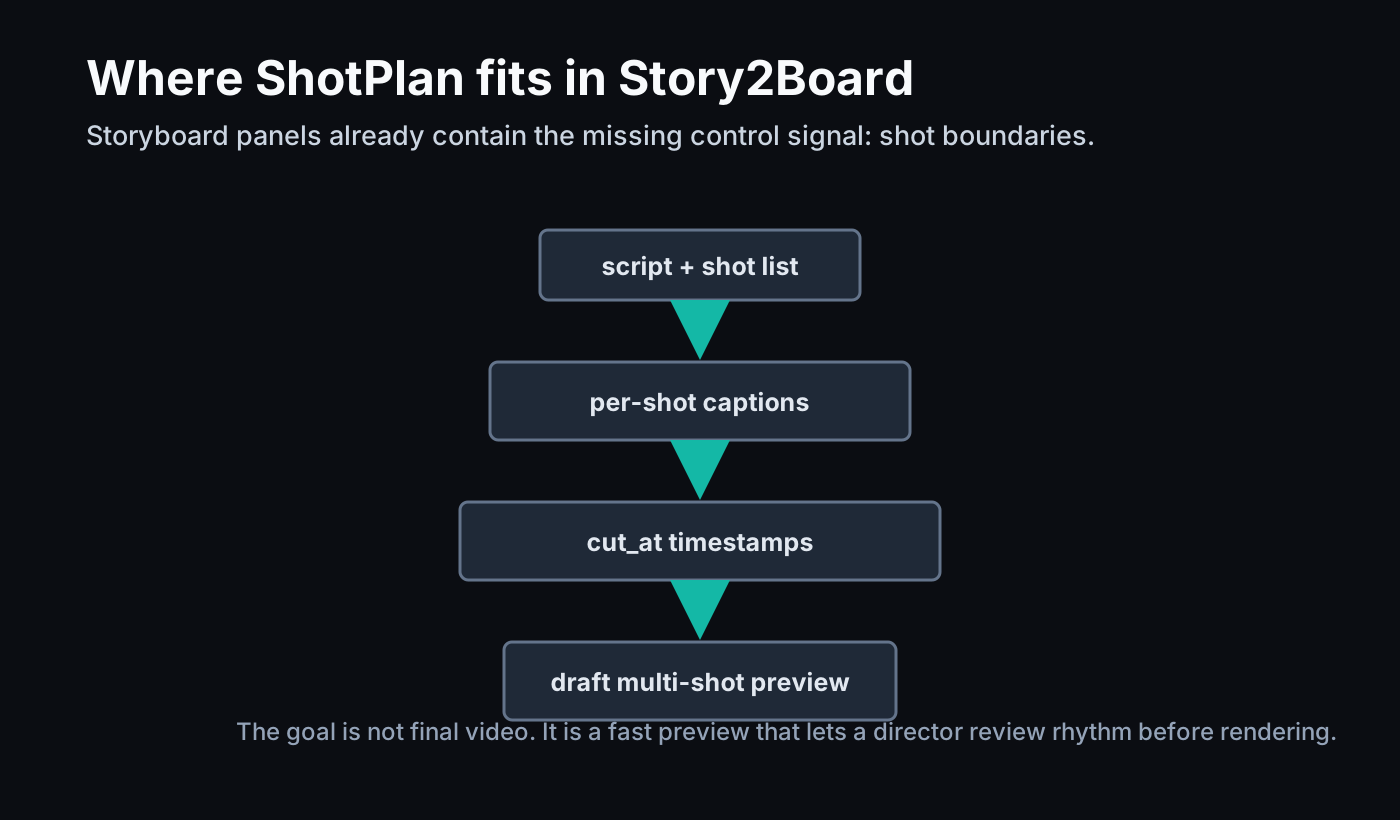
This is also why shot planning belongs upstream. If the tool waits until final video generation to discover where the cuts should be, it is already too late. The storyboard should carry that structure from the beginning.
In product terms, ShotPlan suggests a useful export format:
| Story2Board field | ShotPlan-style control |
|---|---|
| Board sequence | ordered shots |
| Panel caption | per-shot caption |
| Scene summary | global prompt |
| Panel duration | cut frame or timestamp |
| Camera note | optional motion token |
| Continuity note | cross-shot identity and scene constraints |
That does not mean Story2Board should copy ShotPlan's training setup directly. It means our data model should keep shot-level structure explicit enough that a ShotPlan-like model can consume it later.
Where ShotPlan stops
ShotPlan is still a research system around short generated clips. The paper's main implementation uses Wan2.1-T2V-14B at 832x480 resolution with 81-frame videos and evaluates a controlled multi-shot prompt set. The method is strongest when the user already knows the intended cut timing.
That is different from solving the whole directing problem. The model does not decide the best edit rhythm for a scene. It follows the requested transition anchors. It also does not replace an explicit world model. Character state, prop continuity, scene layout, and dramatic causality still need upstream planning layers like the ones discussed in our notes on World Narrative Model and GEST-Engine.
For Story2Board, that is fine. We do not need one model to do every job. We need a pipeline where each representation keeps the right kind of control:
| Layer | Job |
|---|---|
| Script structure | what happens and why |
| Storyboard panels | what the audience sees at each beat |
| Shot timing | where cuts and camera events happen |
| Draft preview | whether the rhythm works in motion |
| Final render | polished pixels |
ShotPlan is most useful in the middle of that stack.
Final read
ShotPlan is not exciting because it makes multi-shot video look more cinematic in a vague sense. It is exciting because it gives the edit a handle.
A cut is a production decision. A storyboard tool can represent it cleanly. ShotPlan shows that a video diffusion model can use that decision as a learnable temporal anchor rather than a wish hidden inside a prompt.
That is the direction we want for Story2Board: fewer vague prompts, more inspectable shot structure, and preview video that respects the timing the director actually planned.