What This Template Includes
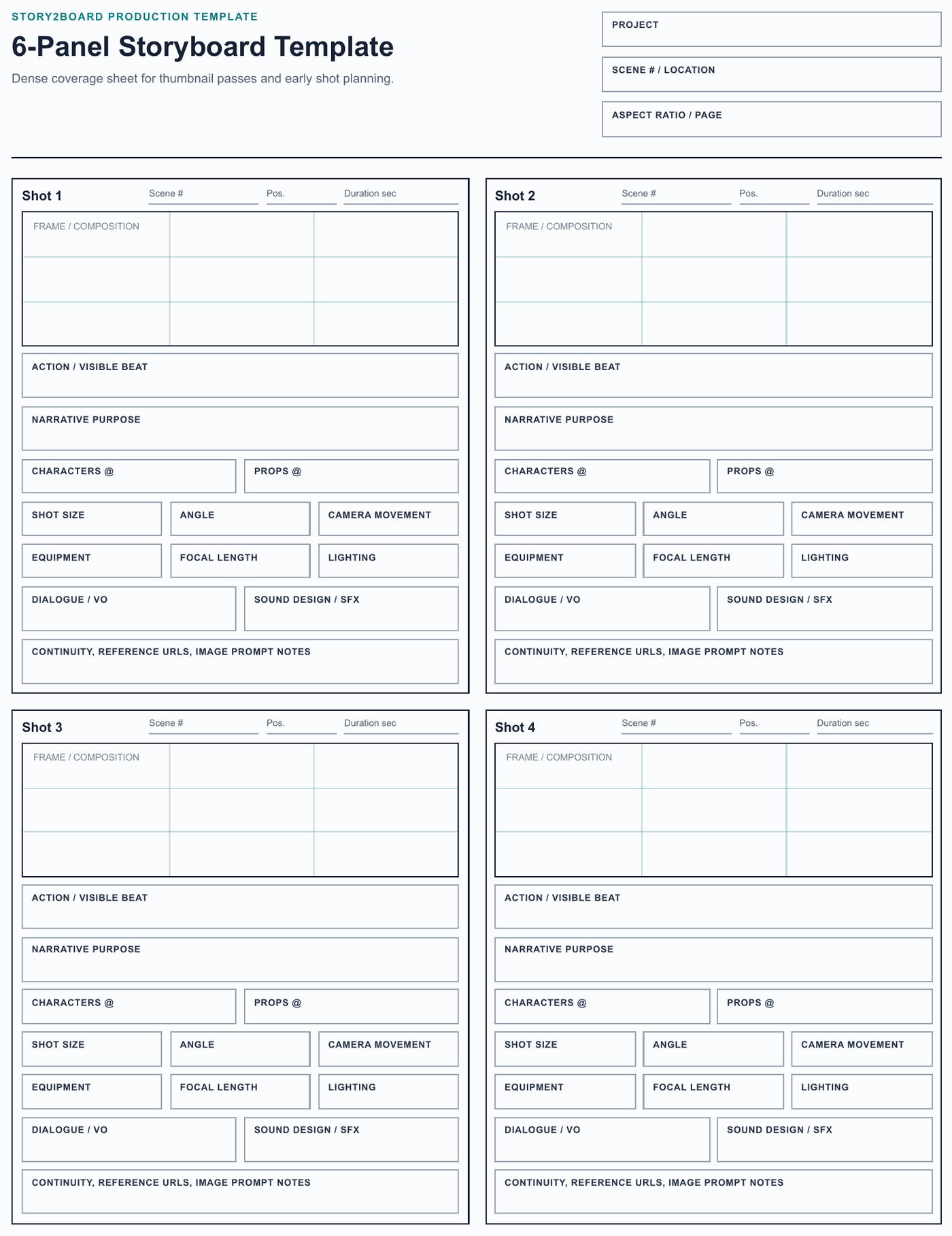
This 6-panel storyboard template is for fast scene coverage. It keeps six compact frames on one printable page so you can see pacing, shot order, and alternatives without flipping between sheets.
Each panel includes the essentials needed for a rough board:
- Frame thumbnail for the visual idea.
- Beat / action for what changes in the shot.
- Shot size and angle for quick camera intent.
- Movement / transition for animatic timing.
- Dialogue or sound cue when the cut depends on audio.
- Continuity note for recurring characters, props, costumes, or locations.
- Reference / AI note for a film still, image prompt, or Story2Board reference asset.
Download: 6-panel storyboard template PDF
When 6 Panels Work Better Than 4
Use this sheet when speed matters more than long notes.
| Job | Why 6 panels help |
|---|---|
| Thumbnail pass | Put the whole visual sequence on one page before polishing any frame. |
| Animatic planning | Check whether the shot order has enough variety for motion and timing. |
| Scene alternatives | Compare two versions of a scene without opening multiple documents. |
| Classroom or workshop exercise | Give every student enough frames to plan a short sequence quickly. |
| Client review | Show a compact overview before moving into detailed production notes. |
If one shot becomes important, move that shot to the 4-panel storyboard template so there is room for lens, lighting, sound, and reference detail.
Why It Still Has Production Fields
Many 6-panel templates are only contact sheets. This one keeps camera and continuity fields because dense planning still needs decisions: who appears, what prop matters, how the camera moves, what sound carries the edit, and what reference image should guide the final frame.
The second page is a compact field guide based on Story2Board's shot planning vocabulary, so a paper rough board can later become an editable AI storyboard without losing the decisions you already made.
Fast Fill-In Workflow
- Write the scene or sequence name at the top of the page.
- Sketch only the biggest shape in each frame: character position, camera direction, and main action.
- Add one camera note per panel. Keep it short: wide, close-up, overhead, push in, pan, handheld.
- Mark repeated characters and props with the same names every time they appear.
- Use the sound field only when audio changes the cut: dialogue line, music hit, silence, off-screen cue.
- Circle the two or three panels that need more detail and move those into Story2Board or the 4-panel PDF.
What Not To Use It For
Do not use a 6-panel layout when every shot needs long dialogue, lens details, or client approval notes. The page gets crowded quickly. Use the dialogue template for conversation scenes, the vertical video template for mobile-first work, and the 4-panel template for detailed production handoff.
Related: free storyboard template hub, 4-panel storyboard template, AI storyboard generator.