What This Template Includes
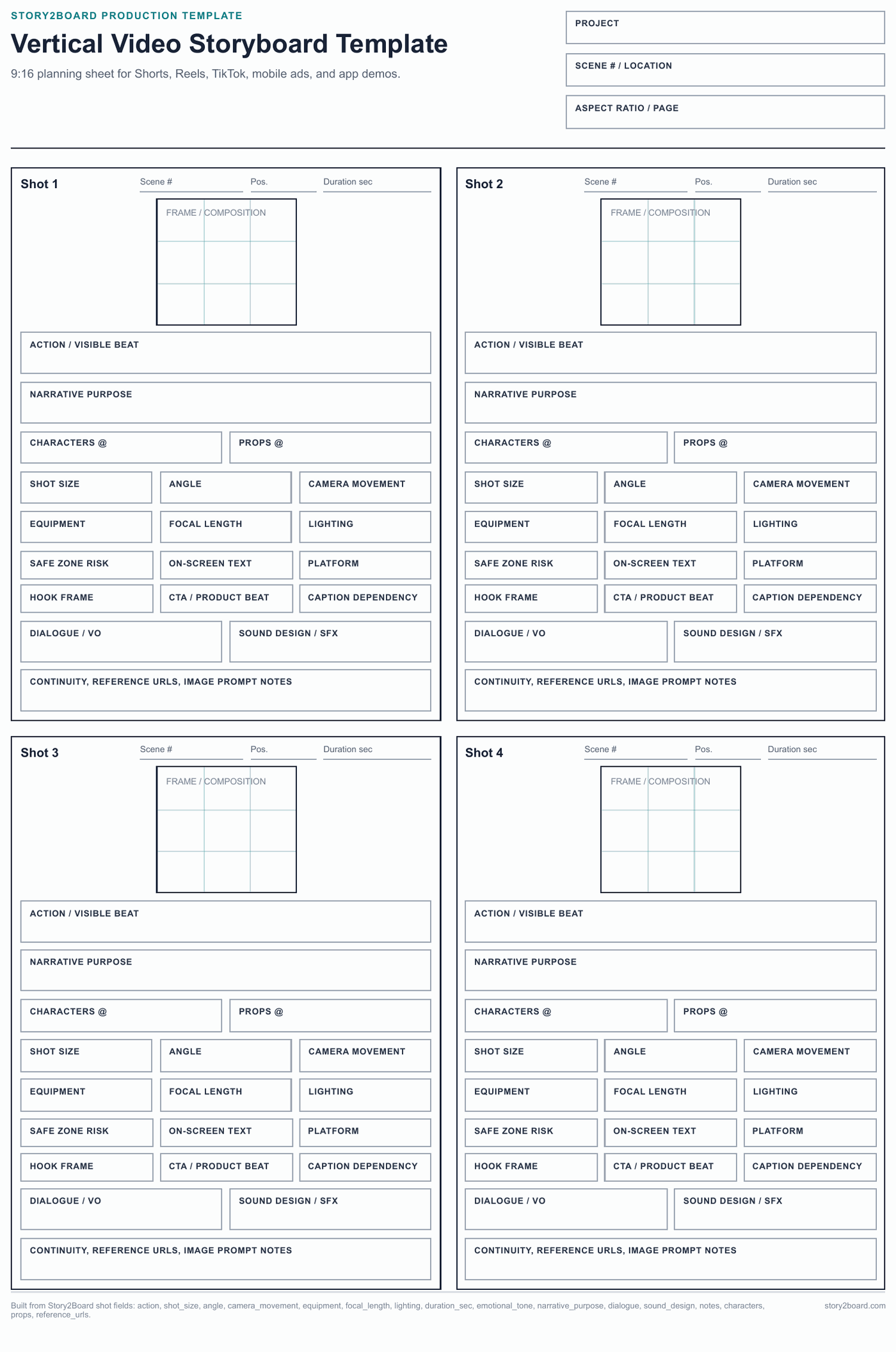
This vertical video storyboard template uses 9:16 frame boxes and adds mobile-specific production fields: safe-zone risk, on-screen text, platform, hook frame, CTA/product beat, and caption dependency.
It also preserves Story2Board's core shot fields: action, narrative purpose, characters, props, shot size, angle, camera movement, equipment, focal length, lighting, duration, transition, dialogue, sound design, notes, reference URLs, and image prompt notes.
Download: vertical video storyboard template PDF
Best Use
Use this sheet for Shorts, Reels, TikTok, paid social ads, app demos, product videos, creator content, and any storyboard where captions or platform UI may cover the frame.
| Vertical video job | Planning focus |
|---|---|
| TikTok or Reels creator video | Hook, face position, captions, and beat change in the first seconds. |
| YouTube Shorts | Readable framing, repeated visual pattern, and fast transition notes. |
| Mobile ad | Product reveal, CTA timing, offer text, and safe zones for platform controls. |
| App demo | Screen recording crop, finger movement, UI text, and callout placement. |
| Social proof or testimonial | Speaker framing, captions, reaction cutaway, and brand/product insert. |
Why It Is Not Just A Cropped Storyboard
Vertical video is a different planning problem. Faces, product details, subtitles, CTA buttons, and platform controls fight for the same narrow frame. This template keeps the frame vertical while still asking for camera movement, sound, continuity, and references, so the board remains useful after the first sketch.
Safe-Zone Planning
Before drawing a vertical frame, mark what cannot be covered:
- Face zone: keep the main expression away from captions and app controls.
- Caption zone: reserve space for burned-in subtitles or platform captions.
- Product zone: keep packaging, screen text, or app UI large enough to read.
- CTA zone: mark where the final action or offer should appear.
- Platform risk: note whether TikTok, Reels, Shorts, or a paid ad placement may cover the lower or side areas.
How To Fill It Out
- Write the platform first. A TikTok beat, a Shorts beat, and a paid mobile ad do not have the same safe area.
- Draw the hook frame before the rest of the sequence. If the first panel is weak, the whole vertical storyboard is at risk.
- Put captions and on-screen text inside the frame, not in the notes only.
- Mark when the product, app screen, face, or CTA owns the frame.
- Use the sound field for music hits, spoken words, silence, or text-only moments.
- Move into Story2Board when you need AI frames, product reference images, character consistency, or an exportable shot list.
PDF And PNG Workflow
Download the PDF for planning and printing. When you need a shareable PNG for a deck, review doc, or chat thread, follow the storyboard template PNG guide. If the sequence needs generated frames instead of blank boxes, start from the AI storyboard generator.
Related: free storyboard template hub, 6-panel storyboard template, dialogue storyboard template.