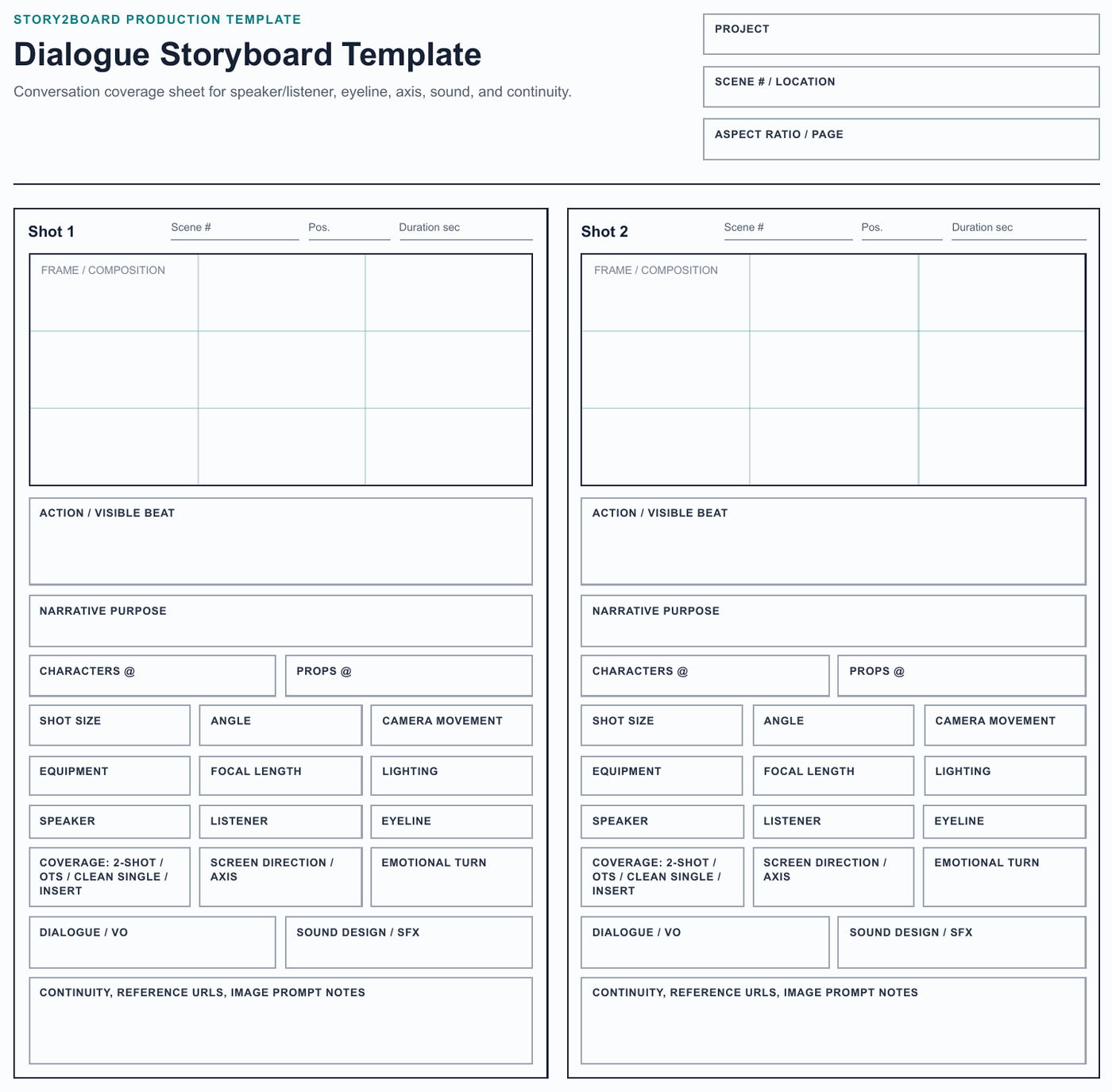
What This Template Includes
This dialogue storyboard template adds the fields that normal blank grids usually miss: speaker, listener, eyeline, coverage pattern, screen direction, emotional turn, dialogue, sound design, and continuity notes.
It still keeps the Story2Board shot planning fields underneath: action, narrative purpose, characters, props, shot size, angle, movement, equipment, focal length, lighting, duration, transition, reference URLs, and image prompt notes.
Download: dialogue storyboard template PDF
Best Use
Use this sheet for two-character scenes, interviews, argument scenes, reaction-heavy beats, customer testimonial videos, and any sequence where viewpoint matters. The PDF includes a dedicated dialogue coverage map page so you can plan the axis, opening two-shot, close-ups, inserts, and sound bridge before drawing individual frames.
Why Dialogue Needs A Specialized Template
Dialogue continuity is not only the written line. It depends on who owns the frame, where the listener is placed, whether the eyeline is stable, when the shot reverses, and which sound carries the transition. A generic storyboard template often hides those details. This sheet makes them explicit.
Dialogue Coverage Checklist
Use the template to answer these questions before you draw every close-up:
| Coverage question | Why it matters |
|---|---|
| Who owns the beat? | The frame should make it clear whether the speaker, listener, or silent reaction is driving the moment. |
| Where is the screen direction? | Keeping left/right placement stable helps the viewer understand who faces whom. |
| What is the emotional turn? | A dialogue storyboard should mark the moment a character changes tactics, realizes something, or withholds a response. |
| What sound leads the cut? | A line, pause, off-screen sound, or room tone can decide where the edit should land. |
| What prop or gesture repeats? | Phones, cups, weapons, doors, and hand movements often carry continuity across shot reverses. |
How To Fill It Out
- Start with the axis and the opening orientation shot.
- Write the speaker and listener for each panel, even when only one person is visible.
- Mark the eyeline before adding facial expression. A good expression still fails if the characters appear to look past each other.
- Use one short phrase for the emotional turn: avoids, challenges, confesses, doubts, interrupts.
- Add sound only when it changes the cut: a line overlap, a pause, a breath, a door slam, or a music cue.
- Move the scene into Story2Board when you need consistent characters, reusable references, generated frames, or versioned revisions.
When To Use Another Template
Use the 4-panel storyboard template when a conversation has long action or production notes. Use the 6-panel template when you only need a quick beat map. Use the vertical video template when captions, safe zones, and phone UI are part of the shot.
Related: free storyboard template hub, how to fill out a storyboard template, AI storyboard generator.